 Rui Carmo
I’m done waiting for Apple to fix things. And one of the things I think should exist is a decent way to run Linux binaries on my iPad.
And after almost six months messing about with ARM emulation in various forms, I can finally do something about it.
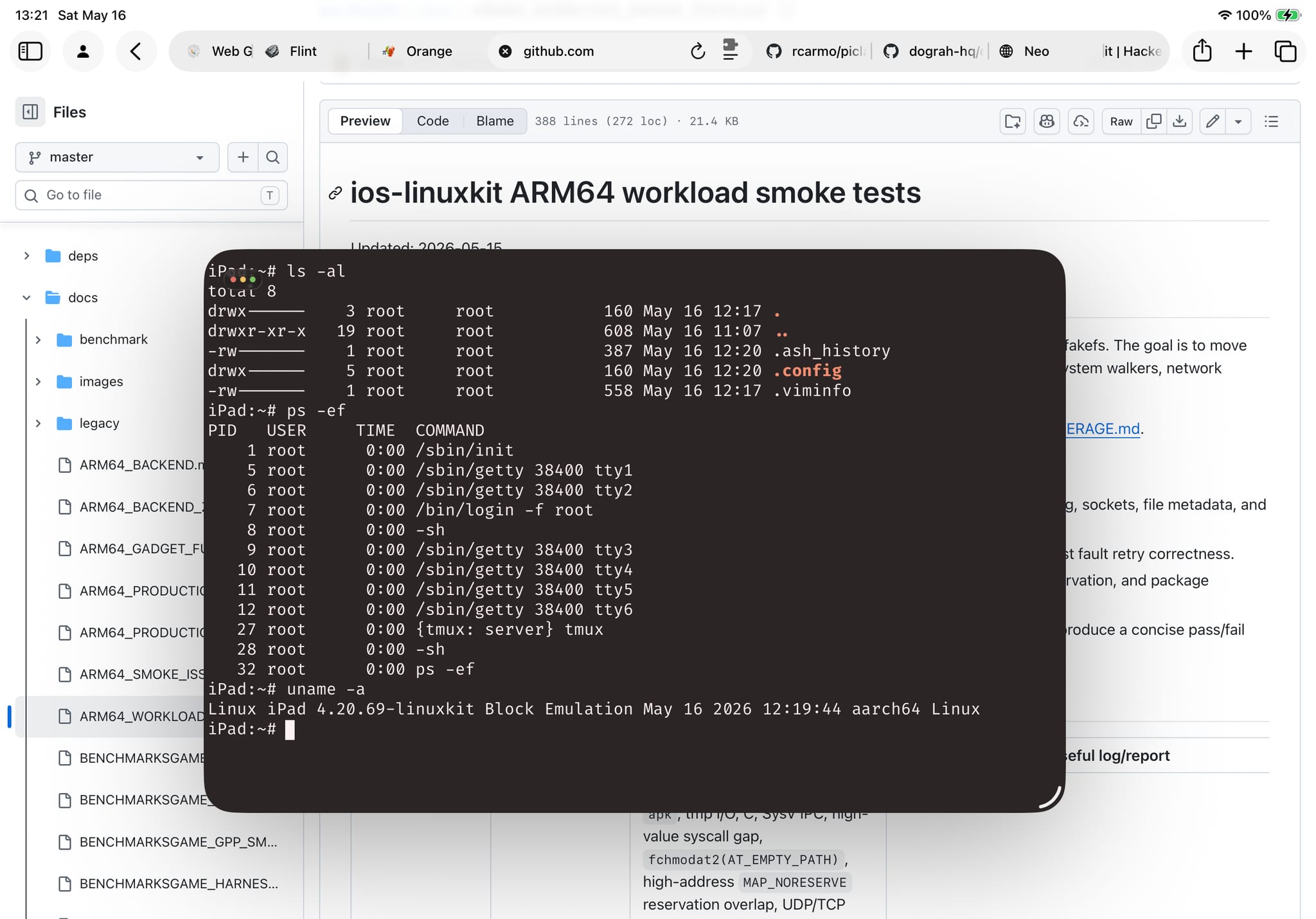
Put bluntly, the lack of hypervisor support on iOS should be an embarrassment to Apple–an EUR 1400 iPad Pro with an M4 chip can’t run Docker, can’t run a VM, can’t do any of the things I do daily on an EUR 50 ARM board. Apple has the hardware support, the kernel entitlements, and has chosen to keep it locked away.
ios-linuxkit is my answer to that, or at least as much of an answer as you can get without Apple’s cooperation. It’s a Linux runtime for iOS that provides a working AArch64 userland on iPhone and iPad–shells, compilers, package managers, language runtimes, the lot–without JIT, without RWX memory, without MAP_JIT, without any of the things Apple won’t let you have.
The base is the ish-arm64 branch of iSH, which implements a threaded-code interpreter (they call it “Asbestos”) that translates ARM64 Linux instructions through precompiled gadget dispatch. No runtime code generation means no App Store policy violations, which means it can actually ship. The trade-off is performance–you’re not getting native speed, you’re getting “fast enough for a shell and some compilers.”
It’s fast in human terms, although my use of Go and Bun mask a lot of the underlying limitations.
Why Now
The timing comes down to converging interests: I have been deep in emulation land since the holidays, and even though the ish-arm64’s “gadget” emulator is quite a different beast from the naïve block-level JITs I’ve been bolting onto BasiliskII and SheepShaver, I have been developing all of them on the Orange Pi 6 Plus board I have been testing for a few months, so they share roughly the same approach:
- Bolt on a VNC server (or an emulated console) so I can connect to it from my iPad
- Build out several test harnesses (build, base smoke tests, tracing harnesses and automated application testing)
- Figure out what to do (this is the hard part, and I’ve learned quite a bit across the various emulators)
- Figure out where it breaks (Go, Java, etc.) and why
- Hand out the drudgery (like test runs and automated fixes) to a
piclawinstance in clearly defined piecemeal specs so I get nice reports and debugging output I can review in a clean web UI
I wouldn’t have had the time or energy to do this without Codex, but I certainly wouldn’t have been able to do it without the Orange Pi as a test bed. Having an ARM 12-core SBC with 16GB RAM I could devote to this, despite a tad constraining (I would have preferred 32 so I could run more builds and test matrices concurrently) was a major enabler here.
What I’ve been doing with it
The fork started as a bring-up exercise, but has turned into something more focused: making the runtime stable and tested enough that you can actually develop on it. The current validation gate has 82 core tests passing on Alpine ARM64, with workload coverage across Go, Rust, Bun, Node, Python, Java, Zig, and a few others.
And since I’ve seen quite a few people trying to run AI coding agents on iOS, there’s a separate set of AI CLI harness tests that installs, runs and does cursory tests on most current agent tools (spoiler: Claude Code was a complete and utter pain to get to run. Everyone else’s mostly “just worked” after a few cycles of JS runtime/kernel call cleanup passes, theirs was just broken).
The harness testing is AI-driven–I pointed piclaw at it with a custom gdb skill and let it grind through failures, fix them, and re-run. The strategy is mine (which syscalls to prioritise, what the “gadget” fixes should look like, where to invest in performance), but the mechanical detection/fix loop is the kind of thing that would have taken months by hand.
Why this matters
Because I think it is a thing that should exist, yes, but also because I want to run things like gi (which is still WIP) on my iPad.
Especially Go binaries, which never ran in the original iSH. And despite my love for remote sessions, I don’t want to run all of it on a server, nor via a UI proxied from somewhere else–I want to do some of it locally, in a terminal, with my workspace on the device.
Bun, V8 and Go work. Alpine’s apk means I can easily get pretty much every single CLI tool I need to work too, without the compromises a-Shell (which I still love, by the way) imposed. And since I have been hacking away at my own flavor of Ghostty in rcarmo/ghostty-web, I was able to swap the dated iSH terminal with something that looks right.
It’s not fast (well, it is, much faster than the original, but not native fast). It’s not a replacement for HyperKit on iOS (if we ever get it back). But it’s mine, I can fix it and make it faster to some degree, and works for me.
And since I have zero intention of bringing it to the App Store myself (or even paying Apple $99 for the privilege of running it on my own hardware without plugging my iPad into my laptop weekly, which is something the EU should really ding on Apple for), I am going to maintain it and add more fixes, keeping it open source so that other people can build better, more polished tools.
You’re welcome.
Update, May 19: I’ve since ported Terax, an AI “terminal” to it and have started poking at the Asbestos emulator to see if I can both speed it up and fix a few more corner cases around Go compilation, which is still very slow.