 Rui Carmo
Since last week, I’ve been hardening my agentbox and webterm setup through sheer friction. The pattern is still the same:
Small, UNIX-like, loosely coupled pieces which I then glue together with labels, WebSockets and enough duct tape to survive iOS, and the goal is still the same: to reduce friction and cognitive load when managing multiple AI agents across what is now almost a dozen development sandboxes.
My take on tooling is, again, that a good personal stack is boring. You should be able to understand it end-to-end, swap parts in and out of, and keep it running even when upstreams change direction. The constraint is always the same: my time is finite, so any complexity I add needs to pay rent.
And boy, has there been complexity this week.
Going Full-On WASM and WebGL
I rewrote a huge chunk of webterm this week.
I started out with the excellent Textual scaffolding (i.e., xterm.js + a thin server), but I kept having weird glitches (mis-aligned double-width characters, non-working mobile input, theme handling, etc.).
So, being myself, I decided to reinvent that particular wheel, and serendipitously I stumbled onto a WASM build of Ghostty that is pretty amazing–it can render using WebGL, fixed all of my performance issues with xterm.js, and… well, it was a bit of a challenge to deal with, but only because of a few incomplete features.
In the pre-AI days, I would have stopped there, but this week it took me under an hour to create a patched fork of ghostty-web that filled in the gaps I wanted and that I could just drop into webterm.
Then came the boring part–ensuring the font stack worked properly across platforms, fixing a few rendering glitches, replacing the entire screenshot capture stack (which is what I loved about Textual) with pyte, and… a lot of mobile testing.
Still, the end result is totally worth it:
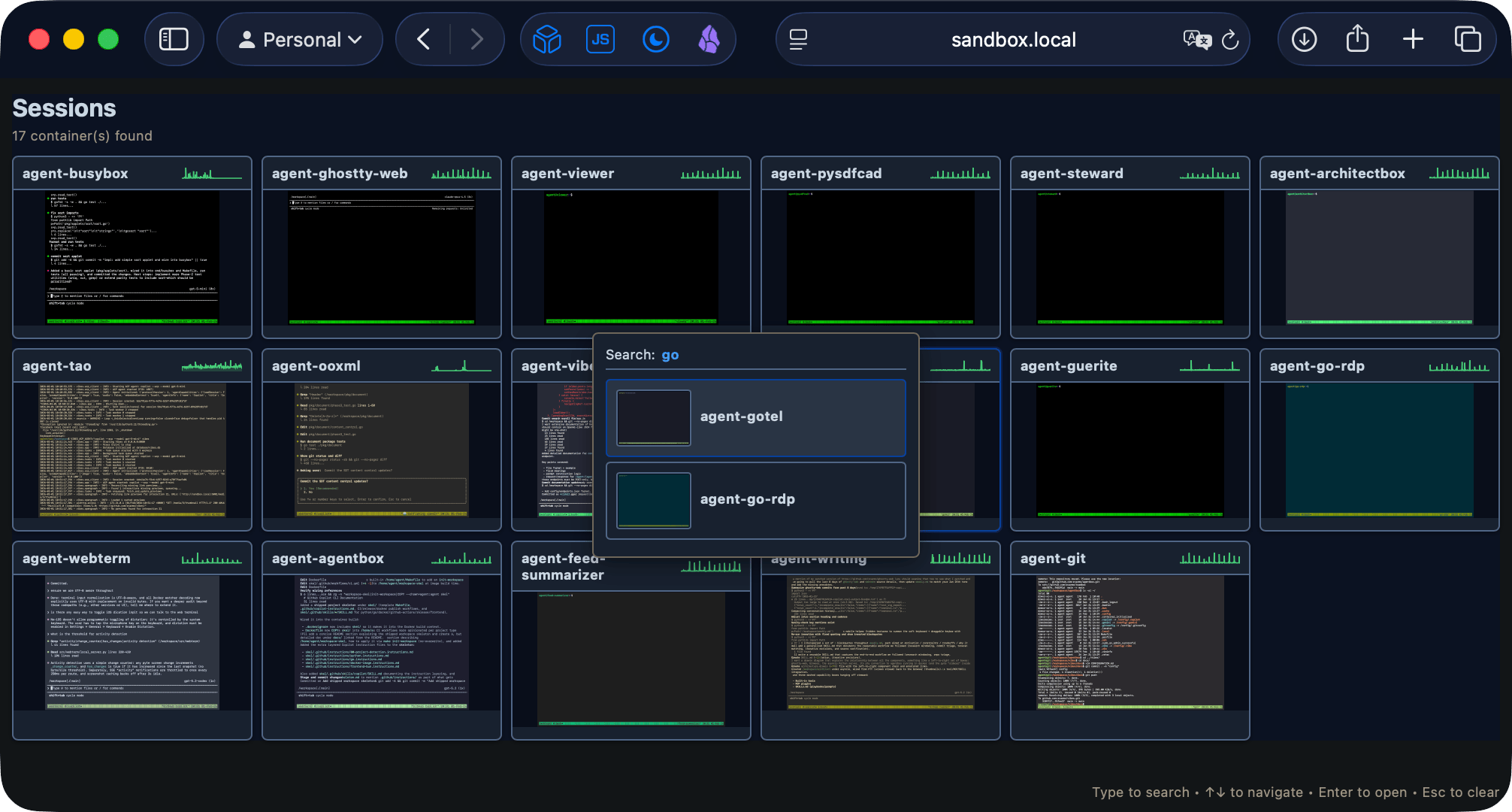
There were a lot of little quality-of-life improvements that came out of this rewrite:
- The dashboard got typeahead search, so I can quickly find the right sandbox among many.
- And the most satisfying cosmetic fix: dashboard screenshots now use each session’s actual theme palette.
- PWA support landed, so the iPad can treat it like a proper “app”.
- The WebSocket plumbing got a proper send queue so slow clients couldn’t freeze other sessions.
I would have rewritten this in Go, but as it happens the Go equivalent of pyte didn’t seem to be good enough yet, and running half a dozen sessions at a time for a single person isn’t a load-sensitive setup anyway.
Again, this is all about reducing friction: Color helps me recognize the project, and typehead find makes it trivial to, well… find. The less mental overhead I have to deal with when switching contexts, the more likely I am to actually use the tools I’ve built.
Mobile Woes
But getting it to work properly on mobile was a pain:
- Mobile keyboard handling was a mess. You can’t customize the iOS onscreen keyboard in the browser, and modifier keys were especially problematic.
- To make mobile usable for real work (not just
htopscreenshots),webtermnow pops up a draggable keybar withEsc/Ctrl/Shift/Taband arrow keys, which are “sticky” so you can tap out proper Ctrl/Shift arrow sequences–andCtrl+C, which is kind of essential. - Focus was a big problem. iOS is incredibly finicky about input browser input events–and if you test on an iPad with a keyboard attached, you miss half the problems. The “solution” was to monkeypatch input via a hidden textarea that captures all input events and forwards them to the terminal renderer–and that still breaks in weird, unpredictable ways.
I might have gone a bit overboard with testing–I don’t have an Android tablet, so I decided to test on my Oculus Quest 2 headset browser, which is almost Android with a head strap:
ANSI Turtles All The Way Down
Then came even weirder rendering bugs, since, well, terminals are terminals. And for such a simple concept, the stack is surprisingly complex:

For instance, you’ll notice in the diagram above that there is a PTY layer and tmux in the mix. That means there are two layers of terminal emulation happening, and both need to be configured properly to avoid glitches.
For instance, I kept getting 1;10;0c when I connected, which led me down the weirdness of ANSI escape codes and nested terminal emulators (something I hadn’t done since running emacs to wrap VAX sessions…). tmux sends DA2 queries, but my wrapper ended up having to filter more than DA1 responses and not messing up UTF-8 sequences.
Then I realized that the Copilot CLI sends a bunch of semi-broken escape sequences that pyte couldn’t handle properly, which led to all sorts of rendering glitches in the screenshots, and another round of patches, and another…
Scaffolding The Future
I also spent a good chunk of time this week improving the agentbox Docker setup, adding better release automation, cleaning up old artifacts, and generally making it easier to spin up new sandboxes with the right tools and my secret weapon:
A set of starter SKILL.md files that teach the bundled agents how to manage the environment, use how I prefer to develop, and generally be useful and run through proper code/lint/test/fix cycles without me having to babysit them.
Right now I’m at a point where I can just go into any of my git repositories, run make init (or, if it’s an old project, point Copilot at the skel files and tell it to read and adapt them according to the local SPEC.md), and have a fully functional AI agent sandbox ready to go.
That I can do that and the infra for it in under a minute, with proper workspace mappings, RDP/web terminal access, and SyncThing to get the results back out, is just… chef’s kiss.
Ah well. At least now I have a pretty solid UX that even works from on my ageing iPad Mini 5 snappily enough (as long as I don’t try to open too many tabs), and I can finally start focusing on other stuff.
Which I sort of did, all at once…