 Rui Carmo
Hot on the heels of my ESP32 display detour–which went from Cydintosh to Flying Toasters on an ESP32-S3 and then, inevitably, R-Type–I ended up with an M5Stack Tab5 on my desk as a very indirect consequence of chasing e-paper displays.
I have followed M5Stack for years and have a couple of their ESP cameras running, plus one of the original stackable Core modules (complete with battery) somewhere in a drawer, but I had not written code for any of them in quite a while (the cameras are running ten-year-old code at this point, I think, and have been rock solid).
Getting my hands on a Tab5 was completely random, but I spent the next couple of weeks trying it as a Home Assistant terminal, a firmware playground and, unexpectedly, a tiny HDMI monitor.
Disclaimer: M5Stack sent me a review unit of the Tab5, for which I thank them. And, as usual, this article follows my review policy.
Form Factor
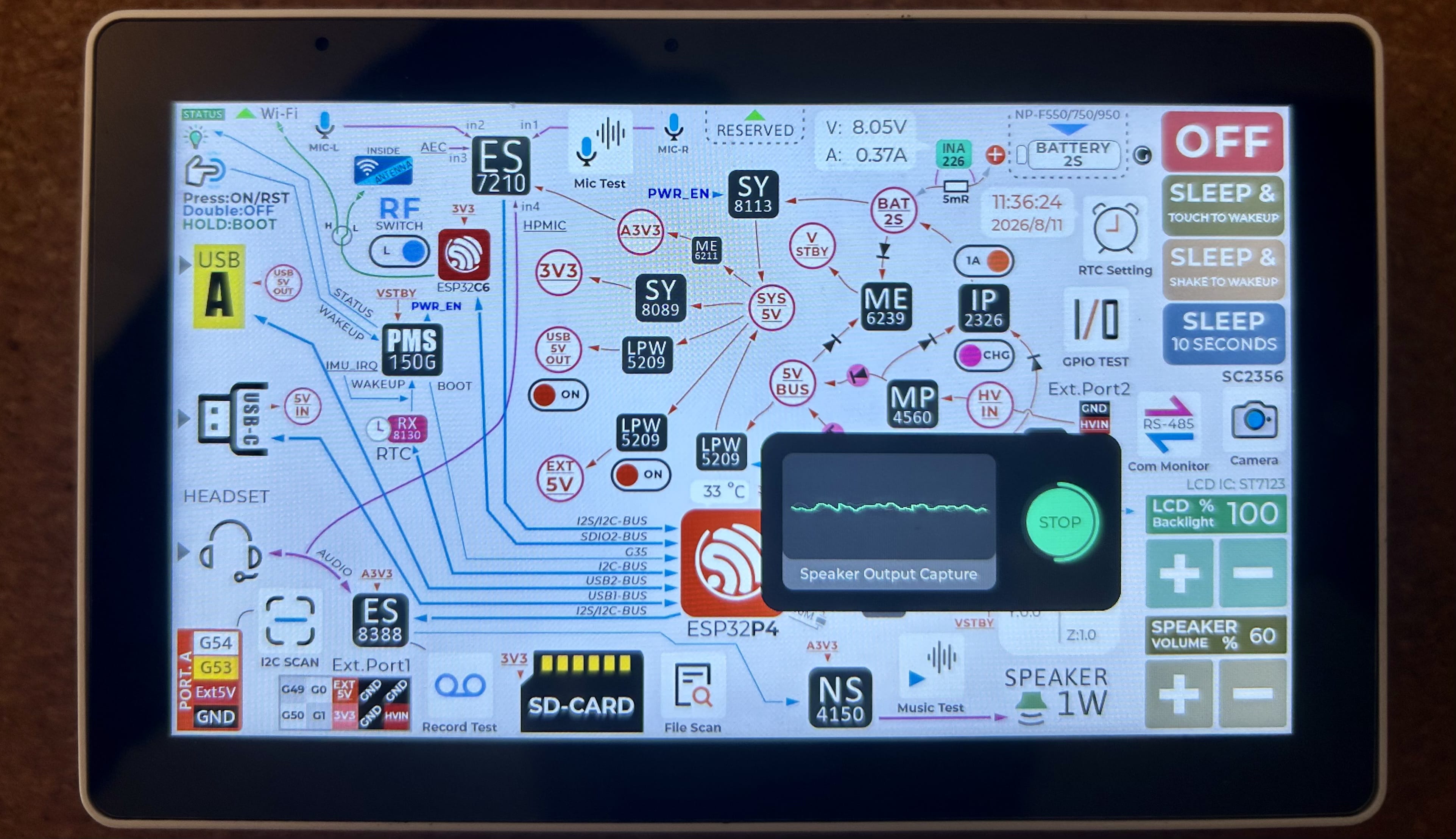
I have a weakness for portable gadgetry, and the Tab5 is very much to my tastes–it looks like a chunky little Android tablet and boots into something closer to an industrial HMI, with a polished demo app that lets you test all the sensors and hardware, but underneath it is “just” an ESP32.
Except this is the ESP32-P4, rather than the somewhat vanilla chips you get with cheap yellow displays, and it can plausibly drive a 720p MIPI display and a camera while handling audio. The CYD boards are pretty good bang for the buck, but even before I started abusing them for emulation I spent most of my time fighting their constraints–a slow parallel or SPI panel, single-digit megabytes of PSRAM and a UI that visibly lurches whenever Wi-Fi wakes up.
I did not run into those problems with the P4. The Tab5 adds a MIPI-DSI panel, 32MB of PSRAM and a dedicated ESP32-C6 radio co-processor, and feels much closer to a small Raspberry Pi than to a vanilla ESP8266.
There is, of course, a catch–the slot-in battery makes the Tab5 grow from 128x80x12mm bare to 128x80x31mm, and mine went from 118g to 230g with the third-party battery I used.
Hardware
The Tab5 is a little constellation of chips:
- ESP32-P4NRW32 with two 360MHz high-performance RISC-V cores and a separate 40MHz low-power core
- ESP32-C6-MINI-1U radio co-processor over SDIO, providing 2.4GHz Wi-Fi 6, Thread and Zigbee
- 16MB flash and 32MB octal PSRAM
- 5-inch 720x1280 portrait-native IPS panel over MIPI-DSI, with capacitive touch
- SC2356 2MP camera
- ES8388 audio codec, ES7210 ADC, dual microphones and a 1W speaker
- BMI270 six-axis IMU and RX8130CE RTC
- IP2326 charge management and INA226 current/voltage monitoring for an NP-F550 7.4V 2000mAh (14.8Wh) battery
Besides a 3.5mm audio jack (a thing that Apple still seems unable to include in its devices), it has a pretty impressive array of connectors:
- microSD slot
- USB-C with USB 2.0 OTG
- USB-A host port, which is unusual enough on an ESP32 device
- RS-485 via a SIT3088, with a switchable 120-ohm terminator and 6-24V input
- 30-pin M-BUS connector that harks back to M5Stack’s stackable module line
- a small menagerie of Grove-style connectors for specific applications, including access to the USB bus
- two software-selectable MMCX ports complementing the internal antenna
Pragmatic Touches
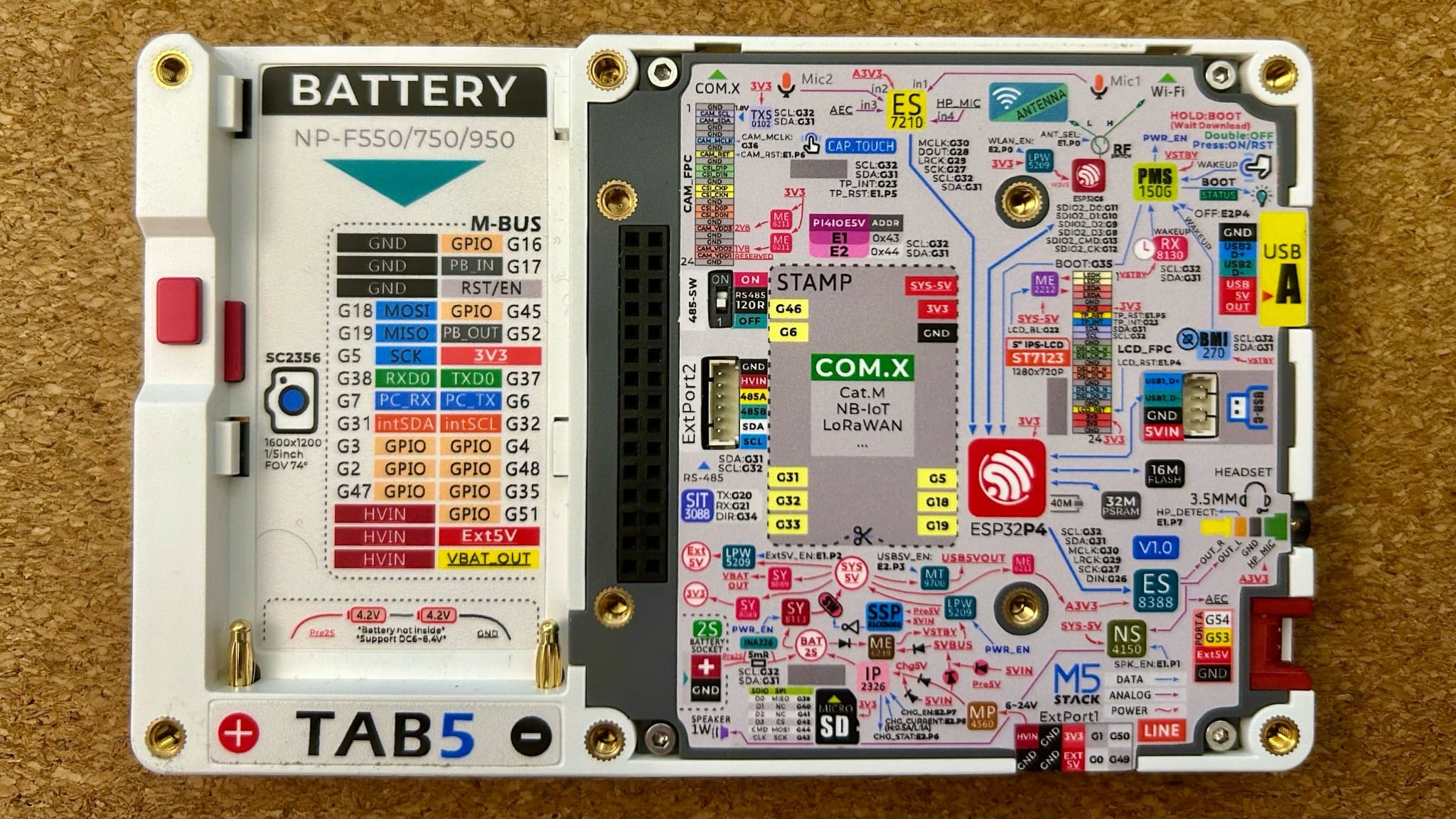
Besides the (always awesome) way in which M5 tends to label their devices, there are two things about the form factor that deserve to be called out.
The first is the NP-F550 slot–yes, the classic Sony camcorder pack people my age typically have three of in a drawer. The batteries are cheap, hot-swappable and available everywhere, which is a smart bit of BOM design even if they do make the assembled setup chunky.
I did not have any, so I got two USB-C rechargeable packs that were already on my “someday” list for powering a camera light, and they fit perfectly:
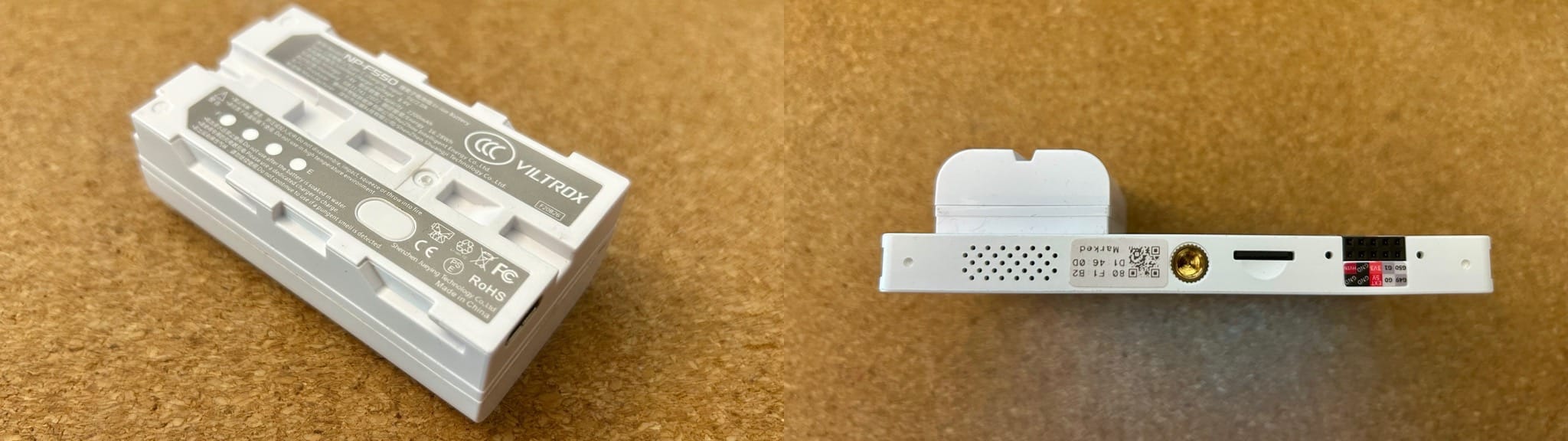
M5Stack quotes the Tab5 at 118.4g bare and 217.3g with their standard battery kit; my third-party USB-C battery brings it to 230g.
The second thing is the 1/4-inch tripod mount next to the microSD slot. Together, the battery and tripod mount make the Tab5 feel like a field device, while the sheer number of connectors still makes it useful on the bench. There are also six threaded inserts around the edge and four around the M-BUS connector, giving you plenty of options beyond the tripod mount.
Internals
I didn’t open mine, but according to CNX Software’s teardown, there is a flexible PCB carrying the GT911 touch controller, the SC2356 on an FPC cable and the C6 module wired to both the internal 3D antenna and external MMCX connectors–so tearing it down seems like a lesson in patience that I decided to forego.
Thermals
This is probably the first ESP device where this kind of testing is warranted, since the P4 is passively cooled inside a sealed handheld with a 0-40°C rated operating range. In casual use–UVC viewer running, screen at full brightness–the bottom gets noticeably warm, but not alarmingly so–I measured 39°C after half an hour of continuous use, though.
Software
As I pointed out above, out of the box the Tab5 runs M5Stack’s demo firmware with a launcher-style UI, and as usual with their products, you are probably best served by using ESP-IDF–the P4 needs a recent release, and the C6 relies on esp_hosted plumbing. Arduino support is always a little iffy on fresh SoCs, but the option is there already.
But M5Stack also provides an entry-level UI for education and entry-level coding called UiFlow2, which lets you use blocks or MicroPython instead of C.
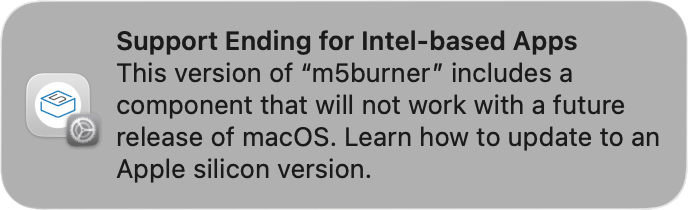
Yet, before you write any of that, you have to flash it, and this is where M5Stack lost me a little, because M5Burner for the Mac is still an Intel-only binary in 2026. It runs on Apple Silicon under Rosetta, but I had to run:
xattr -d com.apple.quarantine /Applications/M5Burner.app
…just to get past Gatekeeper, and I got this semi-persistent reminder:
Additionally, it insists on living in /Applications rather than running from wherever you unpack it like a well-behaved modern Mac app, and has that unmistakable Electron heaviness–slow to launch, sluggish to draw and memory-hungry for what is fundamentally a catalogue-based serial flashing tool–but I will grant that it is a nice and practical one:
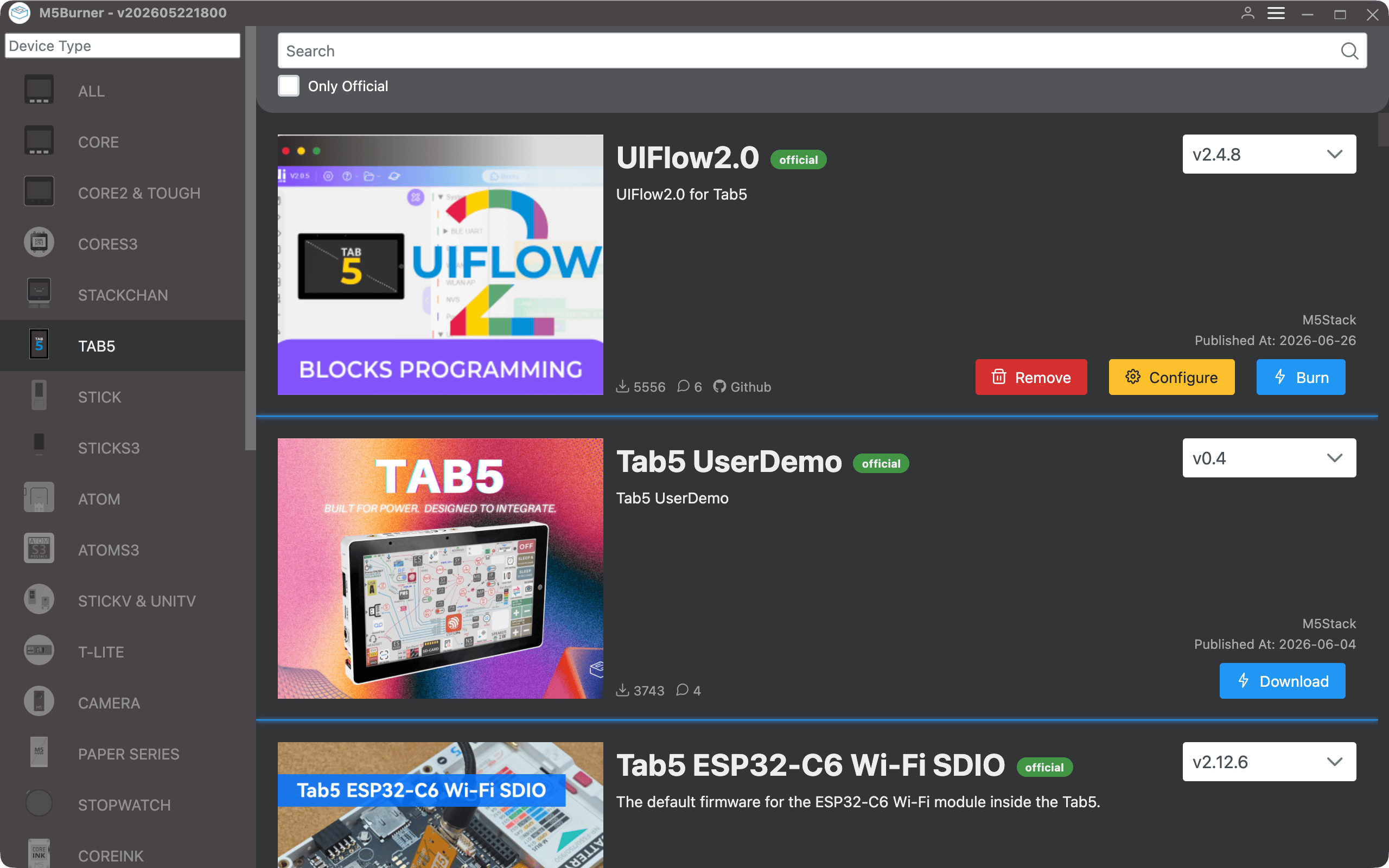
None of the above stops you from using it, but it is a bit of a disappointment from a company whose hardware is very polished.
Development Stack
I did most of my actual development in Linux, though, where esptool.py is, as usual, the escape hatch and I could hack into the ESP toolchain at leisure and play around with a few projects I found interesting.
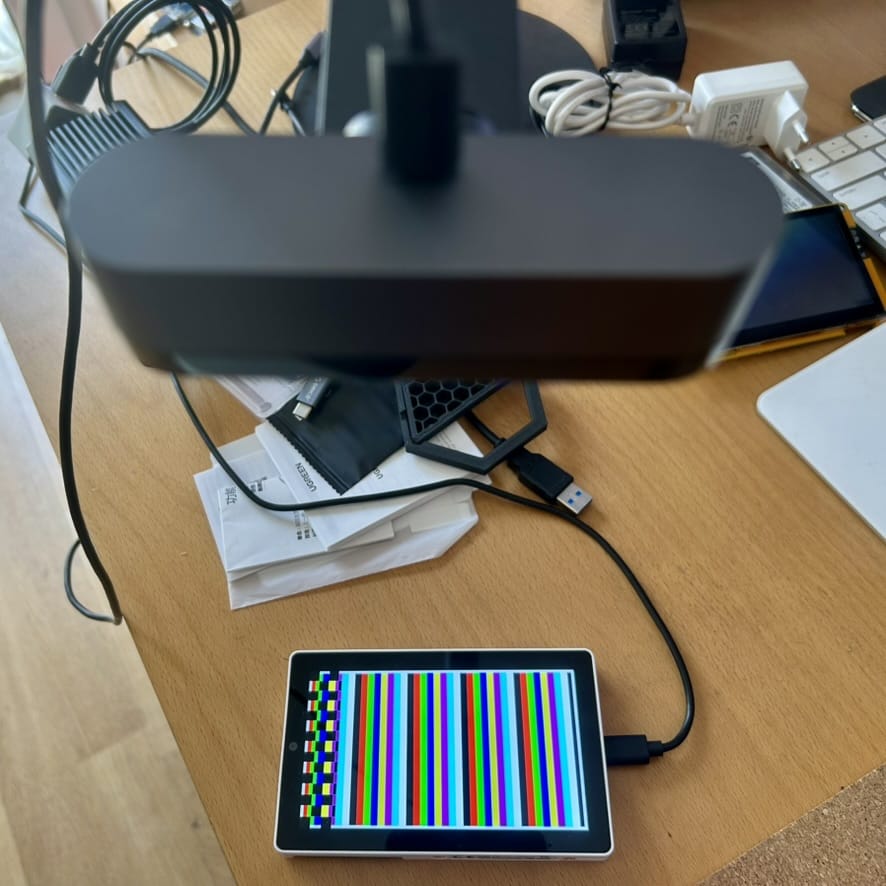
The ESP-IDF SDK runs just fine on ARM, and it took no time at all for me to get my Orange Pi 6 to figure out how to get some test patterns on the screen (as usual, I just pointed a camera at the display, told my AI agents what I wanted, and they set up the basic LVGL scaffolding in no time):
Besides all the other stuff that I was already doing with cheap yellow displays (including my R-Type port, which runs on this at around 33fps without any real optimisation), I went down a few interesting rabbit holes:
ESPHome and Home Assistant
Even though I don’t use Home Assistant myself, I am very much interested in ESPHome these days because of voice agents, and ESPHome supports the original Tab5 revision, including the C6 radio, MIPI-DSI display, GT911 touchscreen, ES8388/ES7210 audio path, RTC, IO expanders and battery monitor.
And the microphones run at 16kHz through its AEC front-end, which makes the board a very nice local voice terminal that is directly supported in Home Assistant.
But as it turns out there are two display revisions: My unit uses the ILI9881C display driver and GT911 touchscreen, detected when the GT911 answers at I2C address 0x14. Later units use ST7123/ST7121 parts, detected through the display controller at 0x55, and ESPHome does not support those yet. If ESPHome is the reason you are buying one, check the display revision first.
A Tiny Macintosh, Because Of Course
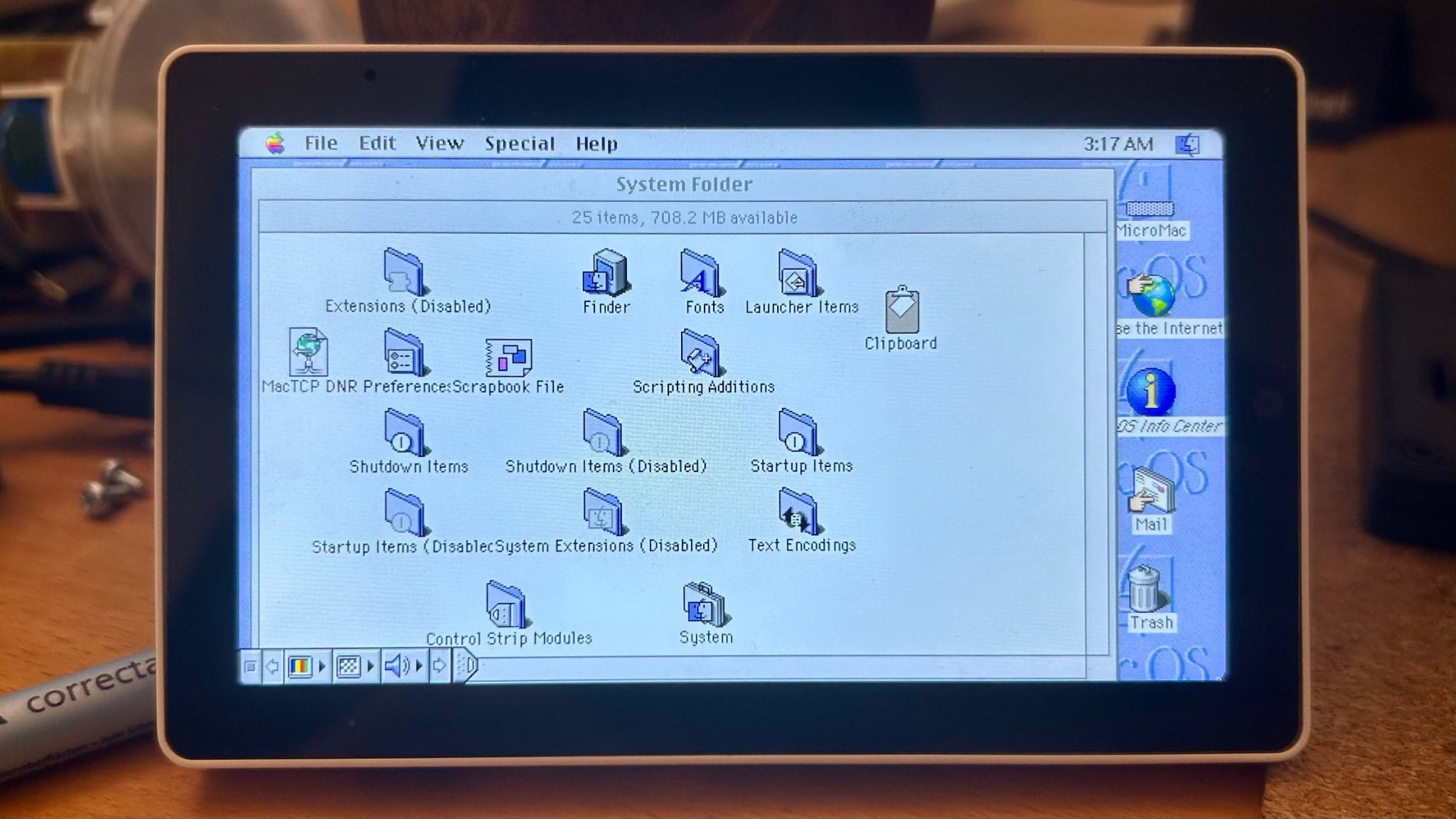
Besides my own Mac Plus core, I also tried the Basilisk II port, which can run classic 68k Mac OS on the P4 in living colour. It is slow, but a US$60 RISC-V terminal pretending to be a Macintosh at all is pleasantly absurd–and after the contortions involved in getting Mac emulation and arcade games to behave on CYD-class hardware, having enough memory and display bandwidth to make it viable (even if slow) felt like quite a leap.
A UVC Monitor
A UVC host viewer turns the USB-A port into a video input, and plugging in a cheap UVC/HDMI capture dongle turns the Tab5 into a standalone HDMI monitor. This is where the tripod mount stops being a curiosity and becomes the point: screw it onto an arm or mini tripod, connect the capture dongle, and you have a self-contained, battery-powered 5-inch 720p monitor for a camera, a headless server console, a Raspberry Pi or a retro machine.
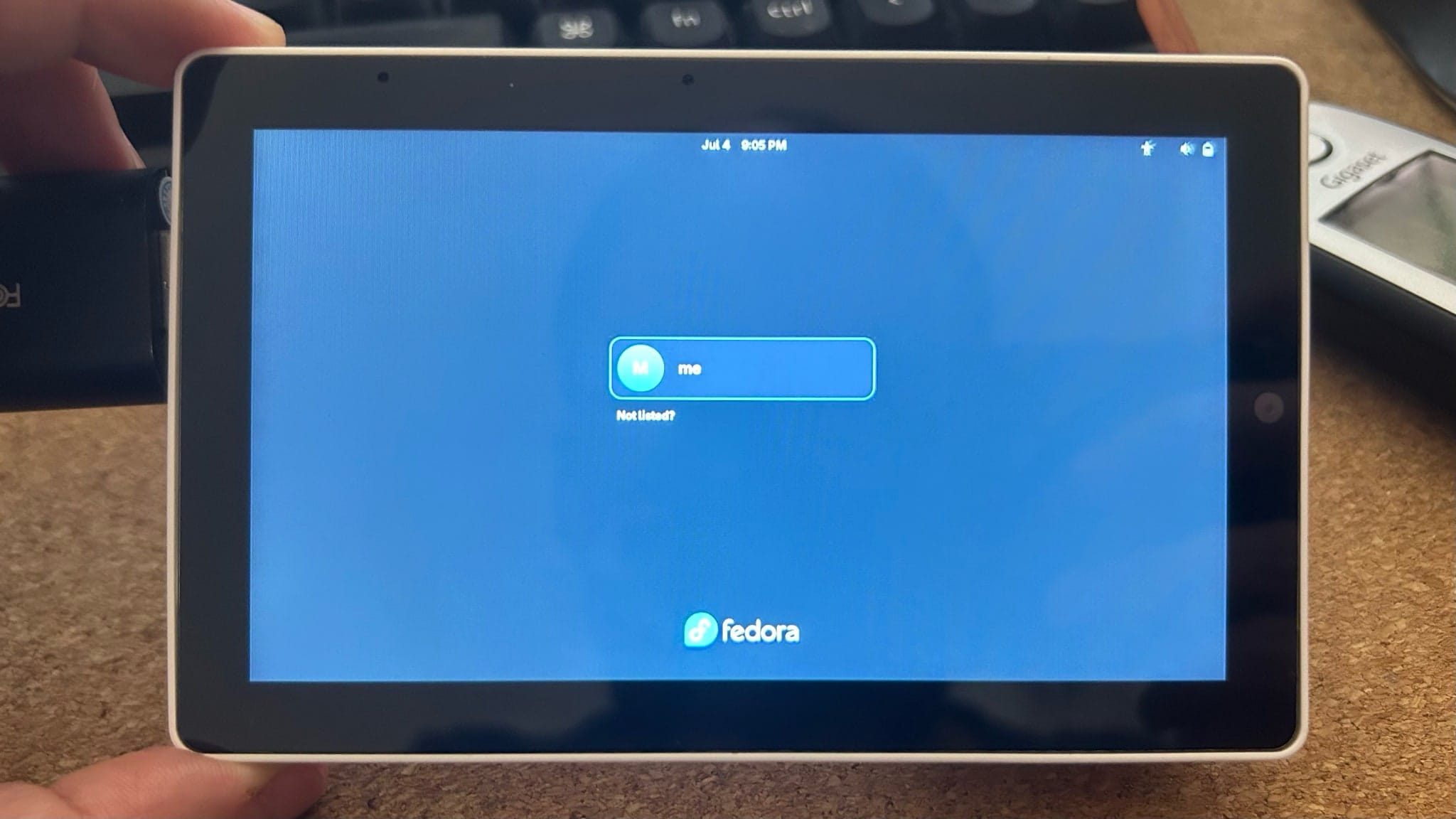
Latency is fine for a console or a slow-moving camera feed, and the screen is sharp enough at 720p. For the price of the Tab5 plus a cheap capture dongle, it is a useful field monitor that doubles as a hackable computer the rest of the time, and I make it a point of reflashing the UVC firmware between experiments–the USB-C rechargeable NP-F550 pack makes it perfect for emergencies like figuring out why your headless box won’t boot.
The M8 Sidecar
But the thing I am really keen to get working on this is an M8 Tracker display–I have a “headless” M8 that needs a computer to both render the display (via its own protocol, implemented in m8c and other clients) and provide audio out, and I have been trying to get the Tab5 to do that:
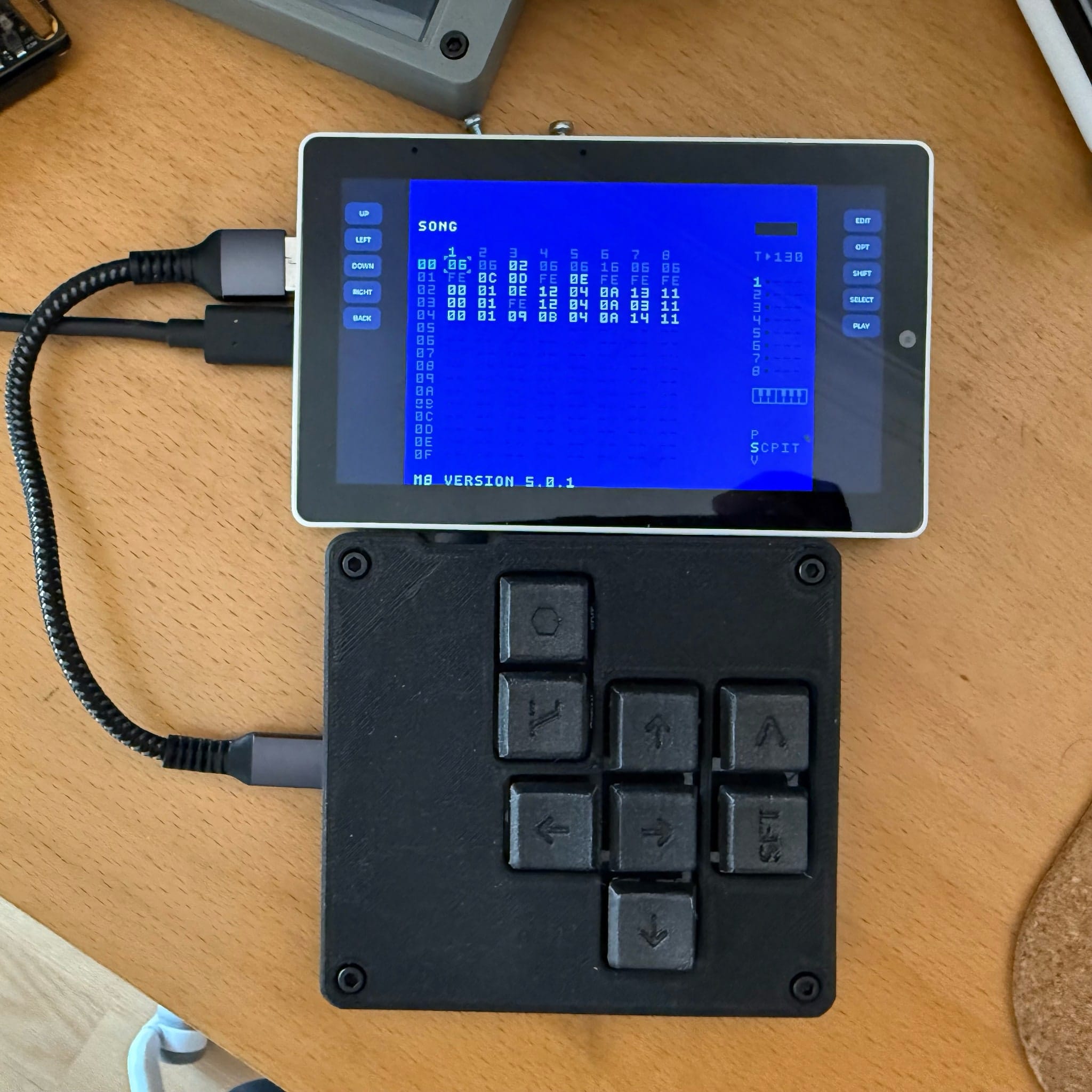
Right now the biggest problem I have is the ESP-IDF USB stack, which is very confused by the fact that the Tab5 not only has a little USB hub on its host USB-A port, but that the hub also has a particularly challenging combination of a data port, an audio and MIDI device and a keyboard–three things the stack struggles to manage and initialise consistently.
This is not a Tab5 hardware problem, but the Espressif SDK was clearly never designed to cope with this kind of situation, so even though I can get the display protocol going and (apparently) the audio, the highly custom keyboard doesn’t seem to be recognised and I can’t get the Tab5 to send control events back into the Teensy inside the keyboard…
Performance
I have not run formal benchmarks, but all the data I have points to the P4 being 2-4 times faster than the CYD devices I had, although that will depend a lot on what you get each core to do and the use you make of PSRAM.
In lieu of more scientific numbers, here’s a chip-level comparison for the three SoCs in the Tab5 and the CYD boards I have been playing with, and what little I was able to glean from the research I did on the YOLO/vision ports I’ve yet to play around with:
| Feature | ESP32 (CYD) | ESP32-S3 (8048S043C) | ESP32-P4 (Tab5) |
|---|---|---|---|
| CPU ISA | Xtensa LX6 | Xtensa LX7 | RISC-V RV32IMAFC + custom |
| Cores × clock | 2 × 240 MHz | 2 × 240 MHz | 2 × 360 MHz (+ LP core at 40 MHz) |
| FPU | SP FPU/core | SP FPU/core | SP FPU/core (+ some DP paths) |
| SIMD/DSP | none | 128-bit PIE vector | wider DSP/AI extensions |
| Internal SRAM | 520 KB | 512 KB | ~768 KB L2MEM + more |
| External RAM | QSPI PSRAM (≈4 MB) | Octal PSRAM, 8 MB | PSRAM up to 32 MB + L2 cache |
| Display engine | SPI master | RGB parallel (LCD_CAM) | MIPI-DSI + PPA 2D blit/scale + H.264 |
| USB | FS device only | FS OTG | HS OTG + HS host (used for M8) |
| Cache | Minimal | Small I/D cache | Proper I/D cache hierarchy |
Poking around with the R-Type hacks, I’d put the very rough relative performance estimates like so, taking into account the optimisations I tried to do:
| Constraint | ESP32 | ESP32-S3 | ESP32-P4 | Confidence |
|---|---|---|---|---|
| Scalar integer (dual-core) | 1.0 | ~1.1 | ~2-3 | Medium (clock + IPC + cache) |
| Vectorisable (blit/audio/DSP) | 1.0 | ~2-4 (PIE SIMD) | ~5+ (wider + PPA) | Low |
| Memory bandwidth (framebuffer/emulation) | 1.0 | ~4-5 | >10 | Low (PSRAM interface) |
| Display throughput (full frame) | 1.0 (240×320 SPI) | ~6-8 (800×480 RGB) | >10 (720×1280 DSI + PPA) | Low |
| Net for our emulation/blit workload | 1.0 | ~2-3 | ~4-8 | Medium |
The bottleneck for all of this is memory bandwidth, not clock speed, CPU architecture or even display rendering. All of the stuff I tried (Cydintosh/R-Type/M8) tried to push a full framebuffer through PSRAM every frame, with different optimisation techniques like using SIMD for blitting, and I don’t think you can do a lot of data transfer on the smaller displays at anything resembling decent speed, so the Tab5 wins out on that alone even considering its display is comparatively huge…
The P4’s 360 MHz cores and cache should give it a substantial scalar speed-up, but its nicest trick is the PPA 2D accelerator (hardware blit/scale/rotate) offloading the exact framebuffer work the others do in software–that’s why the Tab5 was able to render at 33 fps on a 720×1280 panel while also running an HS-USB host for the M8.
Verdict
The Tab5 is a very nice device for prototyping just about anything you’d like to do with an ESP32, as long as you don’t need 5GHz networking.
Having a camera and decent microphones is already enough of a distinction, but the plethora of connectivity options that M5Stack provides will enable you to do away with dozens of wires and additional glue chips on the first iterations of any hardware project, and for that alone I’d say it’s worth the asking price.
However, and since I came from lower-performing devices to it and had to slog my way through a lot of slow, painful debugging before switching to the Tab5, do keep in mind that you’ll be spoiled by its performance and smoothness if you intend to develop something that will run on a cheaper display. The touch screen is buttery smooth, the LVGL rendering performance is great, and, of course, iterating on anything is always faster when you have fast hardware, but take the time to optimise your code heavily if you need to target something smaller.
But hey, it’s still a remarkable achievement. A fast MIPI-DSI display, a camera, a proper audio path and enough PSRAM to run a full 68k Mac emulator now fit into a sub-US$70 ESP32 device instead of a Raspberry Pi, and that is an excellent thing.
The hardware is unusually practical, and, again, I am loving having that ingenious UVC viewer hack around to test other stuff when I’m not doing ESP development–that alone might be more than enough reason to get one if, like me, you keep having to test random SBCs.
The only downside for Mac users is that M5Burner feels like it escaped from a much less polished product, but to be honest I suspect that won’t be a problem for long, and that most people using it are probably on Windows. But I couldn’t let that go unmentioned.