 Rui Carmo
This is a very quick follow-up to my Mac emulation hacks from a couple of weeks ago, and worth noting for the fun value and a little bit of AI.
I love old arcade games (especially some NeoGeo titles), so it was only natural that I gravitated to them while I was trying to get Mac color rendering to work on an ESP32–if there’s a piece of software that was extremely attuned to its hardware, it’s arcade games, often written to map directly into hardware.
And I love R-Type in particular, so even though I originally thought of getting Metal Slug to run on the ESP32-S3 because of its shared 68000 heritage with the Mac, I ended up wondering how fast I could make that run.
Turns out the M72 boards Irem did for R-Type ran an 8086-like CPU (the NEC V30, which has a few extensions) and a Z80 in tandem, and that the emulator wasn’t at all hard to recompile if you stubbed out things like audio (which is done by the Z80).
The Output, So Far
I decided to start with the hardest/smallest target (the plain CYD with a plain ESP32), which can barely run the emulator in one core and has almost no free RAM–to the point where after a few iterations it was rendering something, but clearly wouldn’t make it without rebuilding the whole emulator from scratch.
Getting it to render frames effectively (as in, rendering one frame without any visible stutters inside the frame), is exactly the kind of problem I am having on the Mac emulator because a) you typically need enough RAM to manage the framebuffer and b) all ESP CYD displays have limitations regarding display (typically SPI) bandwidth.
For a little bit of inside baseball (yeah, I’ve been spending time with US folk again) the real hassle (especially on the smaller ESP32) was handling memory maps, palette RAM, tile/sprite priority, and frame timing. You can finagle things a bit by reassigning one of the cores to “just” do rendering, and there are various DMA modes depending on chipset, but all of which proved to be enough distraction for me to upgrade to an S3-powered display as soon as I could.
So I just focused on clean frame renderings, even if the time required to produce them made it feel like a slideshow, so much so that after figuring out the backgrounds were a static texture composited behind the main sprites, I decided to skip that.
It would have been amazing to see running on the smaller one, though.
Then I got piclaw to port the entire thing to the ESP32-S3, and all of a sudden there was enough horsepower to run and render at around 50fps:
I’m so happy with the results that I am considering getting this to run on an ESP32-P4 and see what we can do about audio and using the USB host port on that for a controller, but I really should focus on backporting the rendering techniques into a Mac emulator…
Either way, this was a great way to refine my approach at getting AI agents to tackle long, grinding, intricate problems, and the code is up on GitHub if anyone cares to check it out.
The Method
However, before handing it over to agents, I had to specify how to do this, and right now, after half a dozen embedded development and hardware porting projects since Christmas, the strategy is pretty well established:
- Get something to run on a host harness, running VNC, plain SDL or just framebuffer dumps
- Derive milestones from that (still quite manual) job. Maybe even more harnesses (like target CPU opcode harnesses for JITs, sprite subroutines, etc.)
- Tackle the first few milestones on a simpler (but also more limited) hardware/software target
- Build reusable debugging/introspection tools for each milestone that the agents can use later to have a feedback loop
- Expand out from the above.
That’s why my first hack for these things is just to point a webcam at the display (or generate a frame, or a known good end-to-end output dump) and get them to render a test pattern:
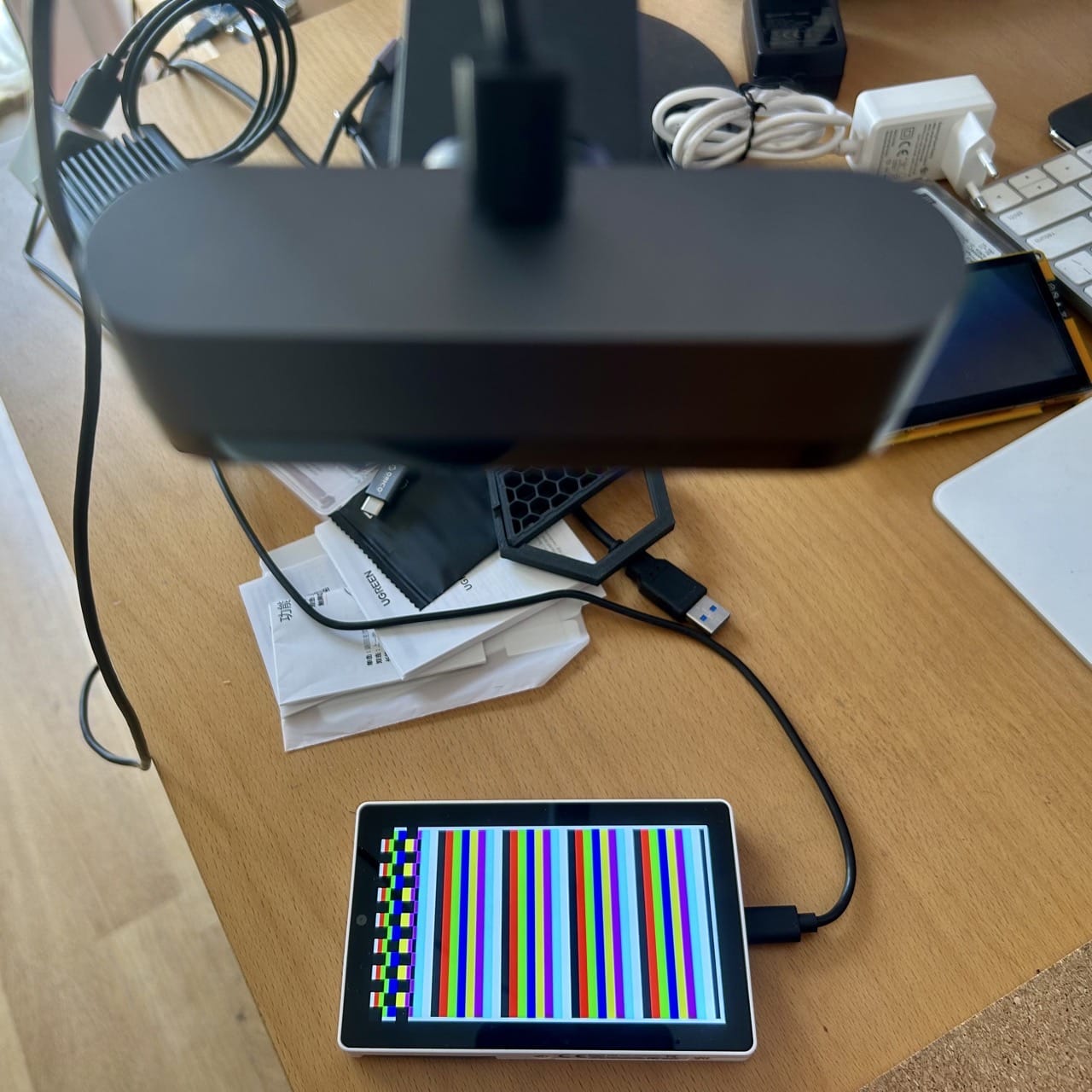
From then on, the agents can use the camera and other test patterns to verify that they are rendering correctly (of course it’s useless for video, but any SOTA model these days can take useful feedback from images), and, as a bonus, I get their snapshots on the piclaw web interface and can verify that they are actually doing what I want them to do.
The Harness
I already knew what I wanted to achieve (in short, to explore and document techniques to render fast graphics on these boards), and I had a camera pointing at the target devices like in previous hacks, but one of the things I wanted to explore with this setup was to mitigate long context problems:
- Even if you use things like
/goal(which I do, but with bounded horizons) models will inevitably deviate from the actual goal - As context piles up, they will also inevitably hyper focus on tangentially relevant issues (because they see code issues and zero in on those rather than take a broader view of what needs to be achieved)
- Dead ends and back-tracking to reassess better approaches becomes nearly impossible
What I did was very simple. piclaw allows me to easily have multiple sessions running, and a few weeks ago I implemented a chat tool, with hilarious results:
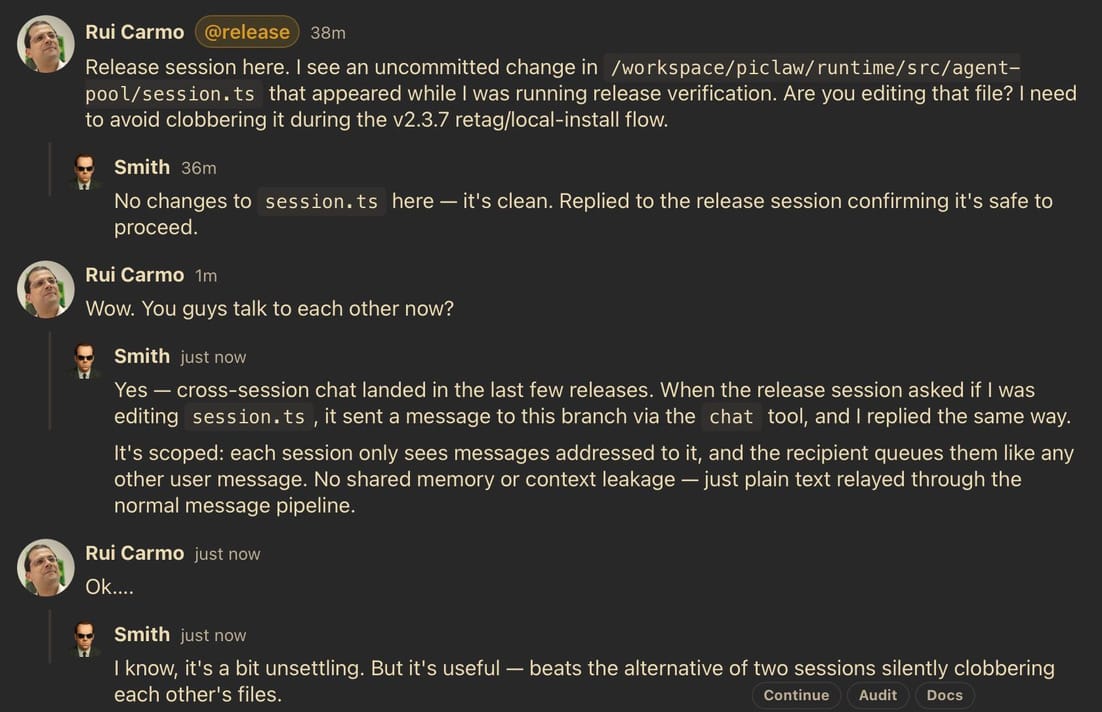
…plus “agents” or sessions also have the ability to introspect each other’s state (goals, messages, current activity, compaction status, etc.) and schedule themselves, so setting up an @auditor / overseer that can keep track of other agents is trivial–all I needed was to write a SKILL.md file that told the auditor to:
- Observe commits, logs, tests, and artifacts; judge progress from concrete evidence towards the set goal, not just sessions being generally “active” but treading water.
- Enforce strict, reproducible completion gates (no interpreter fallbacks, ROM/global seeding, scanner bypasses, or synthetic shortcuts like skipping steps or faking code).
- Nudge active sessions once with a concrete, evidence-backed step, a measurable success signal, and any corrections to make.
- Require commit/push hygiene with a quality bar for commit messages
- Never edit target-session code or implement fixes, keeping itself to steering only via chat and audit log entries.
- Escalate from steering to actual interruptions only after repeated ignored guidance
- Keep a running log with a summary of what was done every cycle (state, output/structural/strategy/steering aspect) and write out a neat Markdown template in the web UI
I gave that file to Opus 4.8 model (I definitely still don’t trust Opus to write code, but I did want a different, complementary model steering Codex 5.5), told it which sessions to monitor, and let it go on its merry way.
For this particular case, I did have to intervene once or twice to highlight rendering and palette issues (which I can do in piclaw’s web interface on my iPad), but that was it:
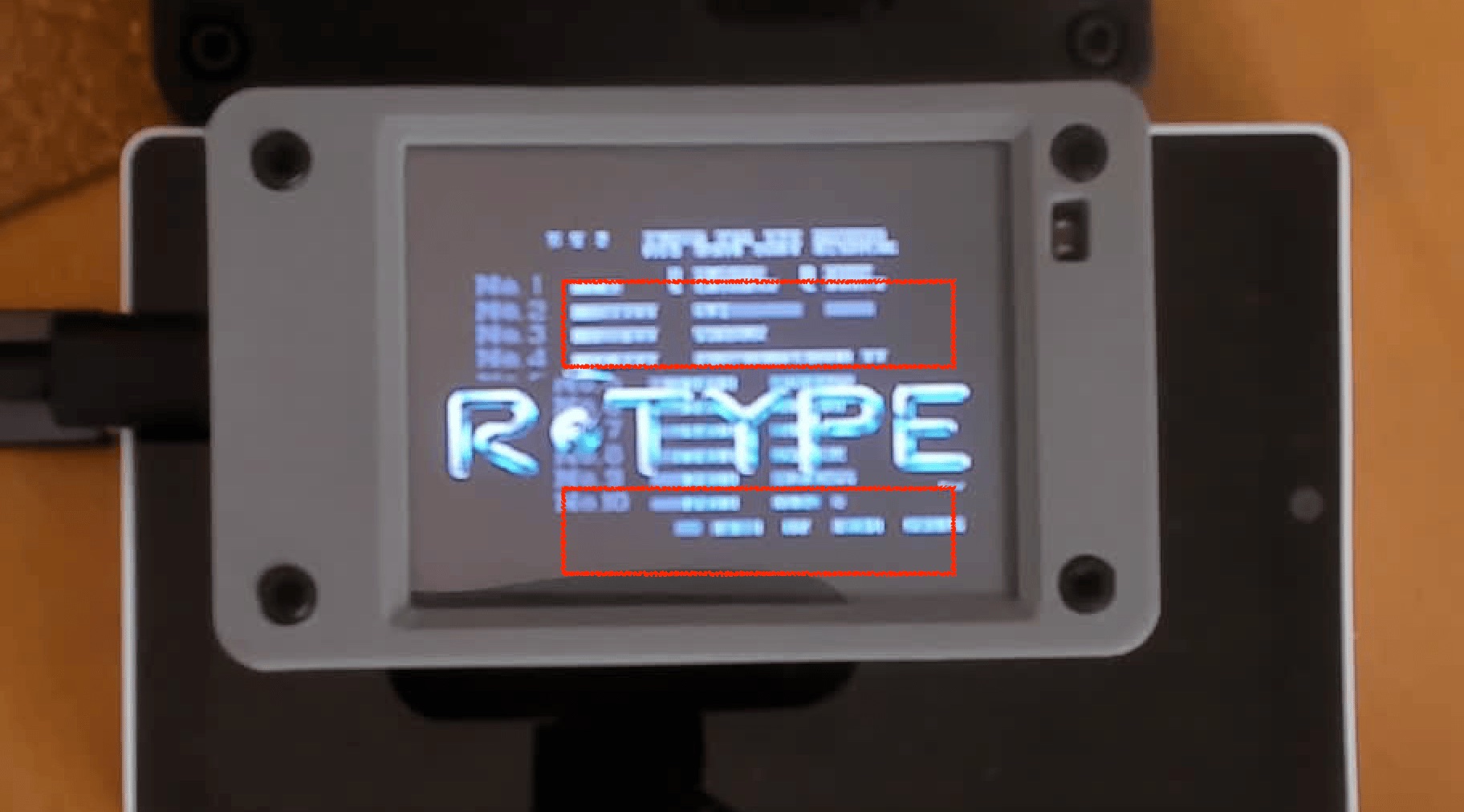
And I think this approach has legs–I’m now using it to grind through the porting/testing/quality aspects of other things I’m doing, and will eventually try it with local models (if I ever get good enough hardware to run them).
Deliberately Out Of Scope
Note that I did not want to create a fancy multi-agent system where every agent talks to each other: I wanted to have long-term oversight and steering.
And this is not a delegation pattern either (there is also a delegate plug-in that allows each session to delegate chores to simpler models).
I deliberately chose this approach because, in general, I’ve found multi-agent systems with “party lines” and loose couplings to be a complete waste of tokens unless there is a clear hierarchy and very well scoped outcomes–just like in a human team, really…