 Rui Carmo
I’ve long had a fascination for digital picture frames, and that harks back to the Vodafone 520 Photo Frame, which was, at the time, a pretty wild concept–you could send pictures to it over GPRS and have them show up on a tiny LCD screen, way before social networks and ubiquitous connectivity made that a non-issue.
We’ve had a couple of those around since 2007, now relegated to drawers–they were dim and poky even at the time they were launched, and only grandparents loved them. I’ve been wondering if I can revive ours somehow, but LCD displays aren’t really the kind of thing I want in our living room.
TRMNL devices are a completely different thing and don’t really try to be photo frames. They’re e-ink based, and their upcoming hardware upgrade focuses on improving size, resolution and online integration rather than moving to (a still prohibitively expensive) color display like the current crop of digital picture frames (which are priced north of an eye-watering three hundred euros).
But they do get a lot of things right–the devices are extremely low-powered (they run on an ESP32-S3), nondescript (they fit in nicely everywhere), and, more to the point, e-ink is much nicer on the eyes than anything else:
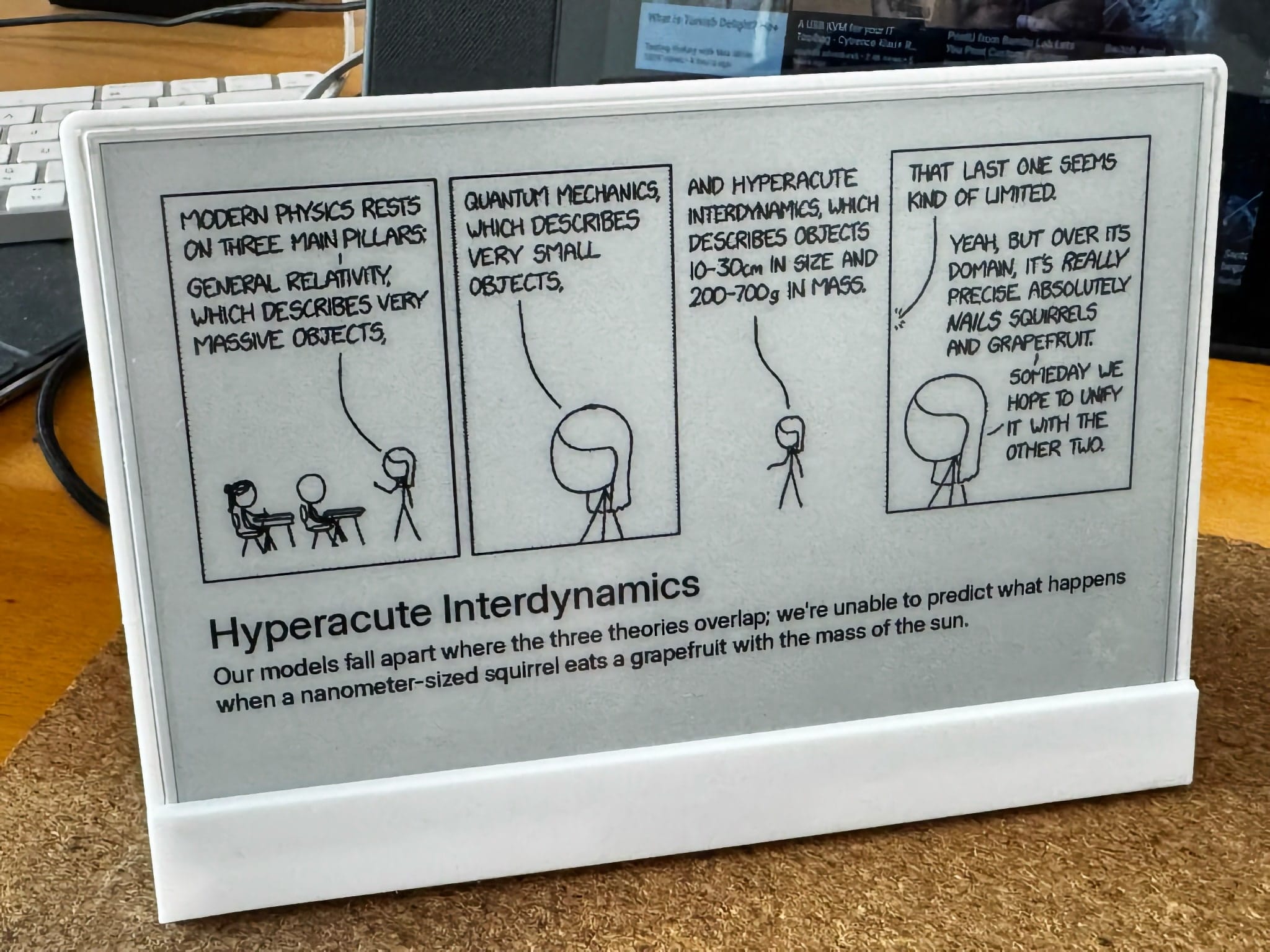
Our brain’s vision center considers e-ink to be “static” and as much a part of the surface as if it were paper, so they’re naturally less eye-catching. Even if you do catch them refreshing, it feels a lot more natural than any backlit display.
Well, unless you’re talking about color e-ink–most current, quality color e-ink displays I’ve seen so far take so long to refresh and flash so often it looks like it might be somewhat distracting, even if infrequently.
So I’ve actually been keeping an eye on TRMNL for a while. I liked the approach, the design and the hardware, and they also make the entire firmware source available and allow you to use your own server, which is the kind of guarantee for long-term support that I love.
Hardware
I went the cheapskate route: I bought a Seeed Studio DIY kit on sale, 3D printed this enclosure (which is nice but has a few structural design flaws I need to fix, since most of the internal fittings broke off already), and it all just worked out of the box.
Assembly and setup were a matter of minutes, not including the two or three hours my recently rebuilt KP3S took to print the parts, since I took it nice and slow.
Software
However, one of the reasons I wanted a TRMNL was to display some data and info that simply does not live in the cloud. Stuff I should look at once a week (like CPU, RAM and disk usage in my homelab, power consumption, etc.) and that is kept in my Node-RED metrics/home automation server but that I seldom go in and check.
So I went off, looked at awesome-TRMNL’s Bring Your Own Server section and tried out a couple of the options there.
Functionally, the best one was this PHP implementation, which deployed just fine under Docker and had a pretty great feature set, but a) there is no way I am going to be coding PHP in this day and age and b) I wanted something much simpler that afforded me the kind of control I would be truly satisfied with.
Thus byos_fastapi was born–no forking of a browser engine to render pages (so no direct way to leverage TRMNL’s rather nice design system), no fancy integrations, just vanilla Python, rendering bitmaps and charts using Pillow, hammering things out bit by bit.
And yes, that project is under the @usetrmnl organization, because Ryan (the founder) saw my earlier draft repo and kindly invited me to move it there (one of the things that drew me to TRMNL is their openness, and it was just serendipitous to have that demonstrated even as I was compiling my notes into this post).
This is far from being my first rodeo managing displays (I started with the original Codebits signage server, then rebooted it and then modernized it somewhat, as well as a bunch of (mis-)matching clients), so it was quite fun to reason things out and build a playlist/device management mechanism all over again, even if I didn’t do any fancy artwork this time.
I very nearly used bun and TypeScript, but there are so many nice bitmap charting libraries for Python I’m familiar with and use in my machine learning notebooks that I decided to stick with those.
Dithering (Too Much)
Since I actually started with the older black-and-white only firmware, I spent far too long fiddling with gradients and “color” curves, and once I upgraded to the latest firmware to render greyscale images (2-bit palettes, whoo!) I really went overboard:
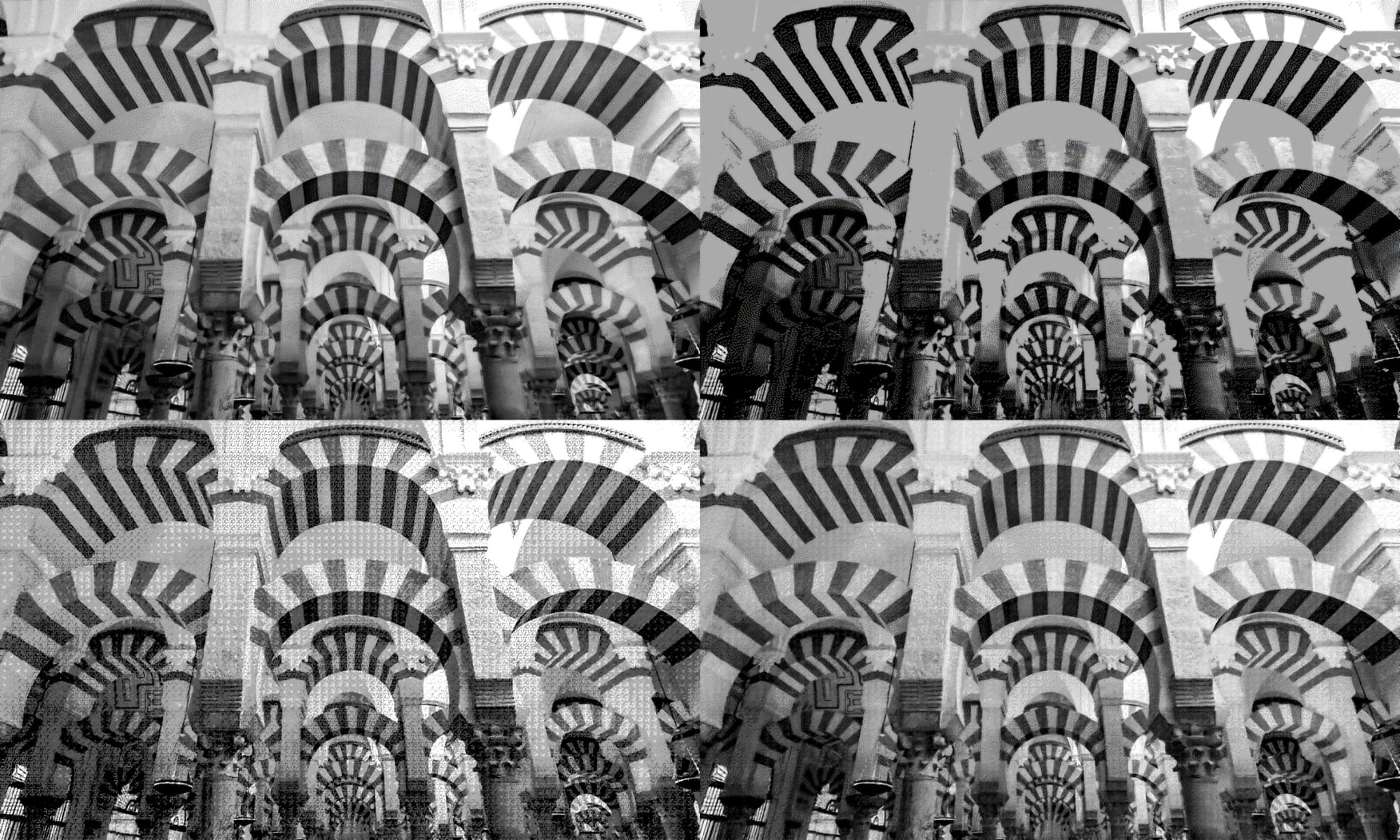
The reason I tried various dithering approaches was that the way the display renders things is actually quite interesting–the firmware only knows about 2-bit color and renders a set of greys that is far too dark, but when looking at the display up close I can see a grainy overlay of a much lighter grey that implies that the display itself could do better:
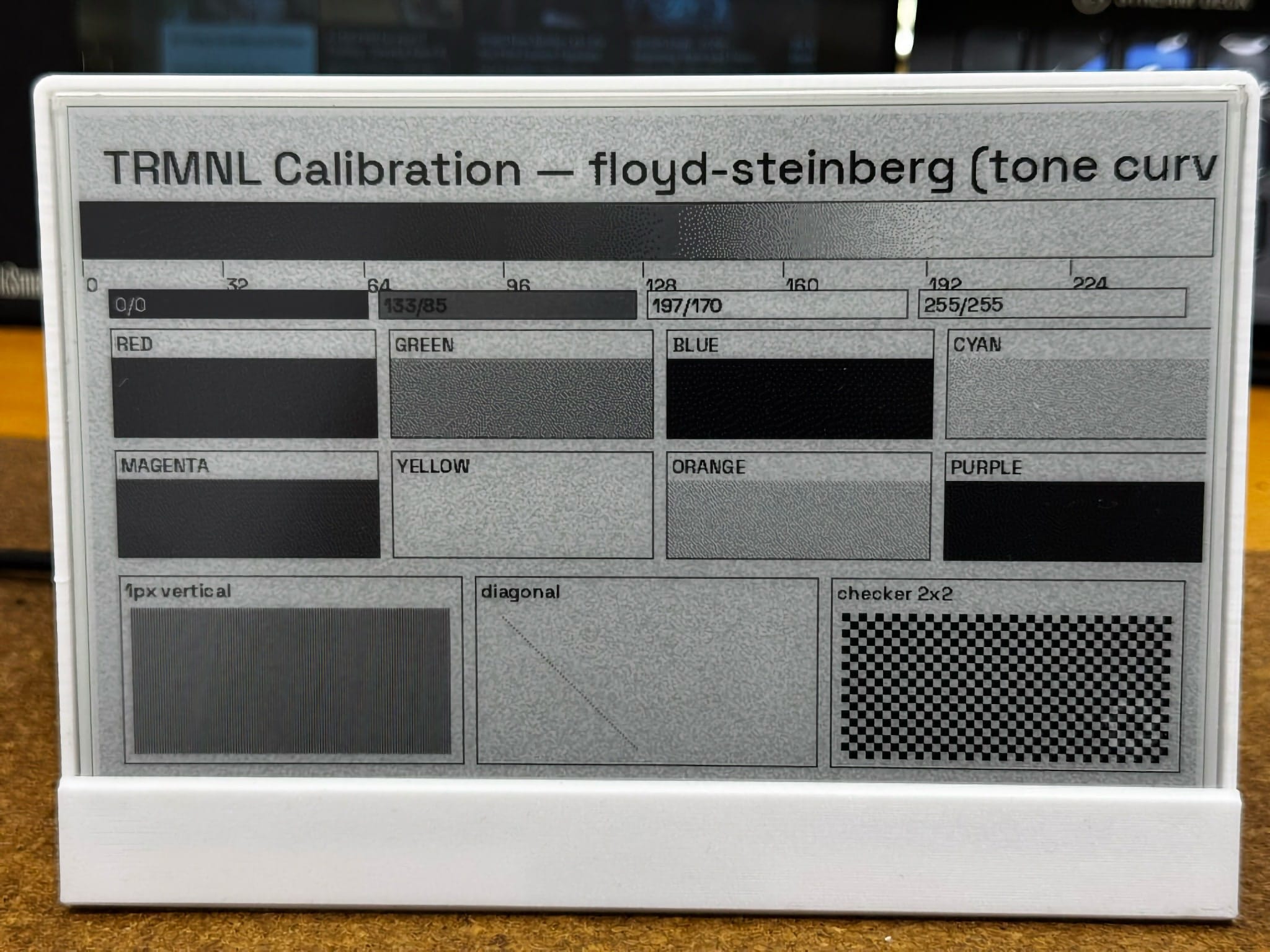
The specs for the kit say it can’t, but the grain makes sense given what I know of EPD waveforms–there’s always a bit of noise and ghosting involved.
And there’s always a trade-off in terms of RAM and power consumption while rendering. I suppose that the displays TRMNL themselves source have slightly different characteristics that tend to bias rendering toward black-on-white with some font and line smoothing, and that makes sense given it’s all usually line art rather than photographic images.
Tweaks for Real Life Use
In the end, I realized that at the typical distance I have the device from my eyes (it’s now across the living room) black-and-white makes almost no difference for simple charts.
But photographs and some text displays were much improved in greyscale mode, so my server always renders both 1-bit and 2-bit images and you can choose which to use in the playlist editor:
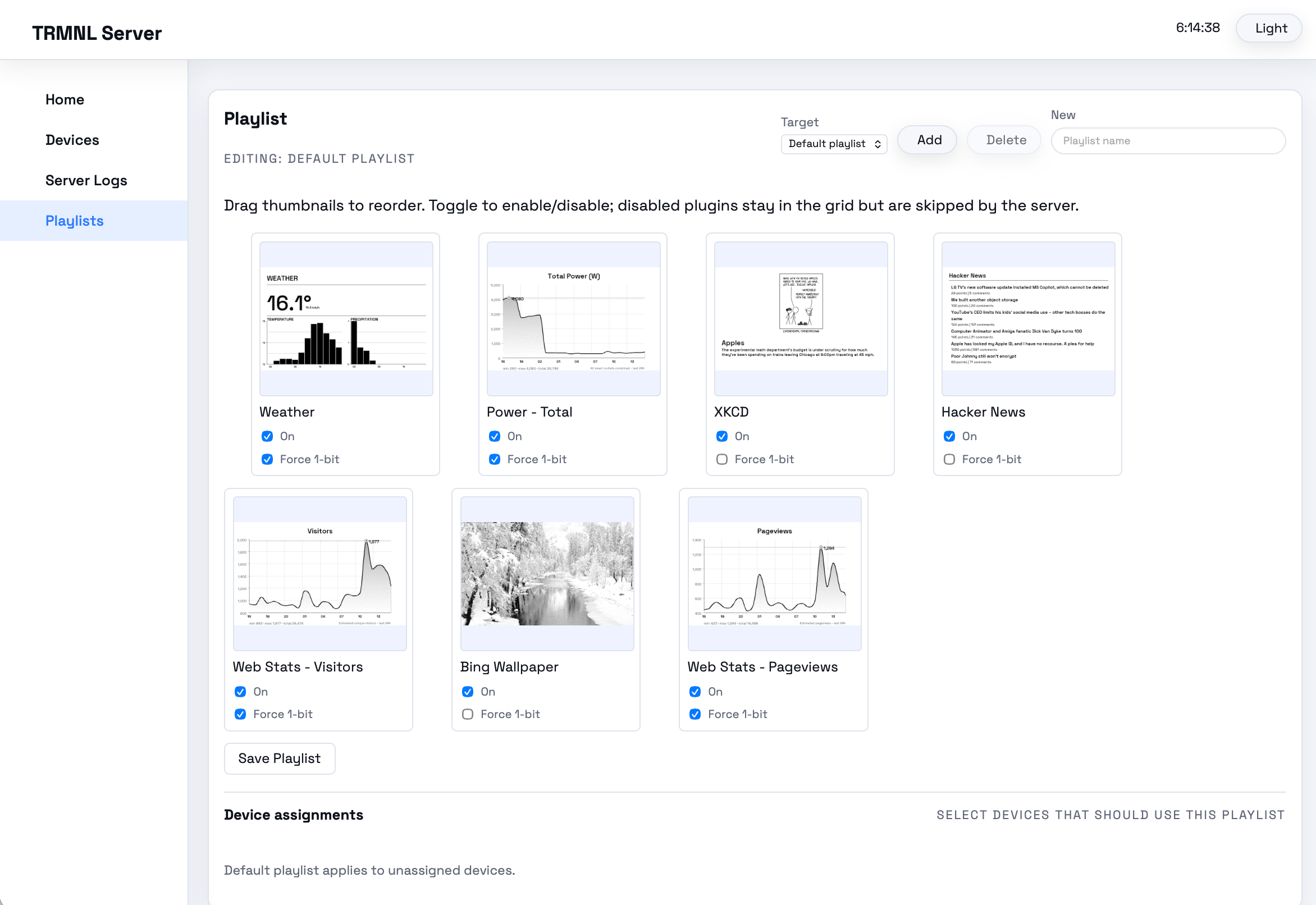
To do that and make my life simpler while creating plugins, I wrote a “color” pipeline that lets any of my plugins automatically render both 1-bit and 2-bit greyscale:
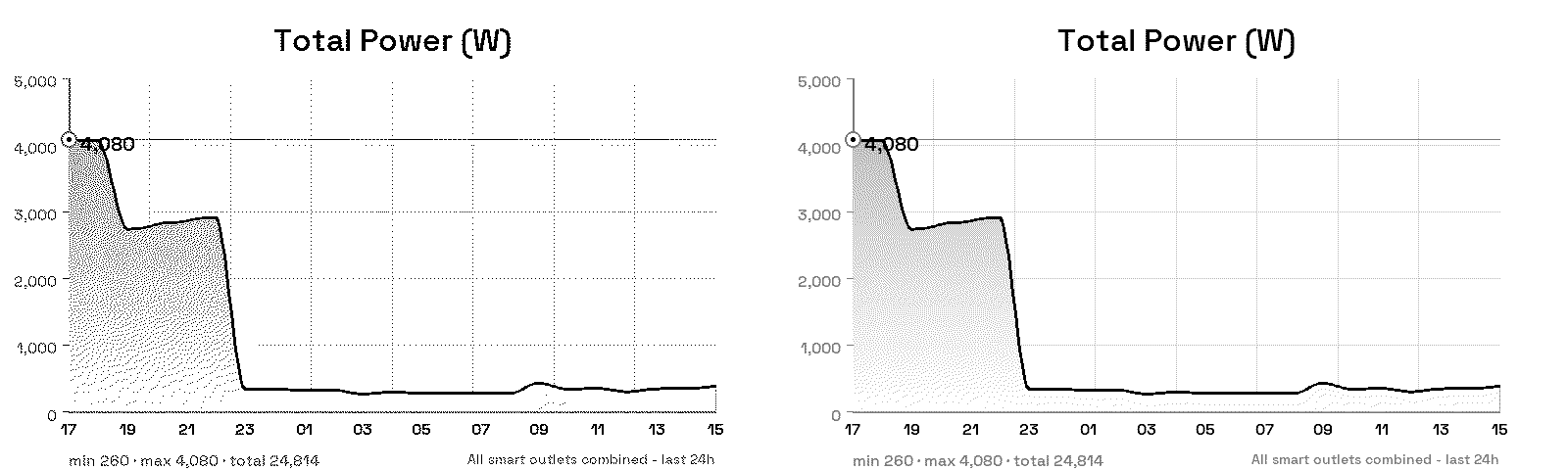
And after playing around with a few visuals I landed on using a font that would be readable and punchy enough to survive dithering–Space Grotesk was a prime candidate, and it actually looks somewhat like some of TRMNL’s own bitmap fonts.
Experience
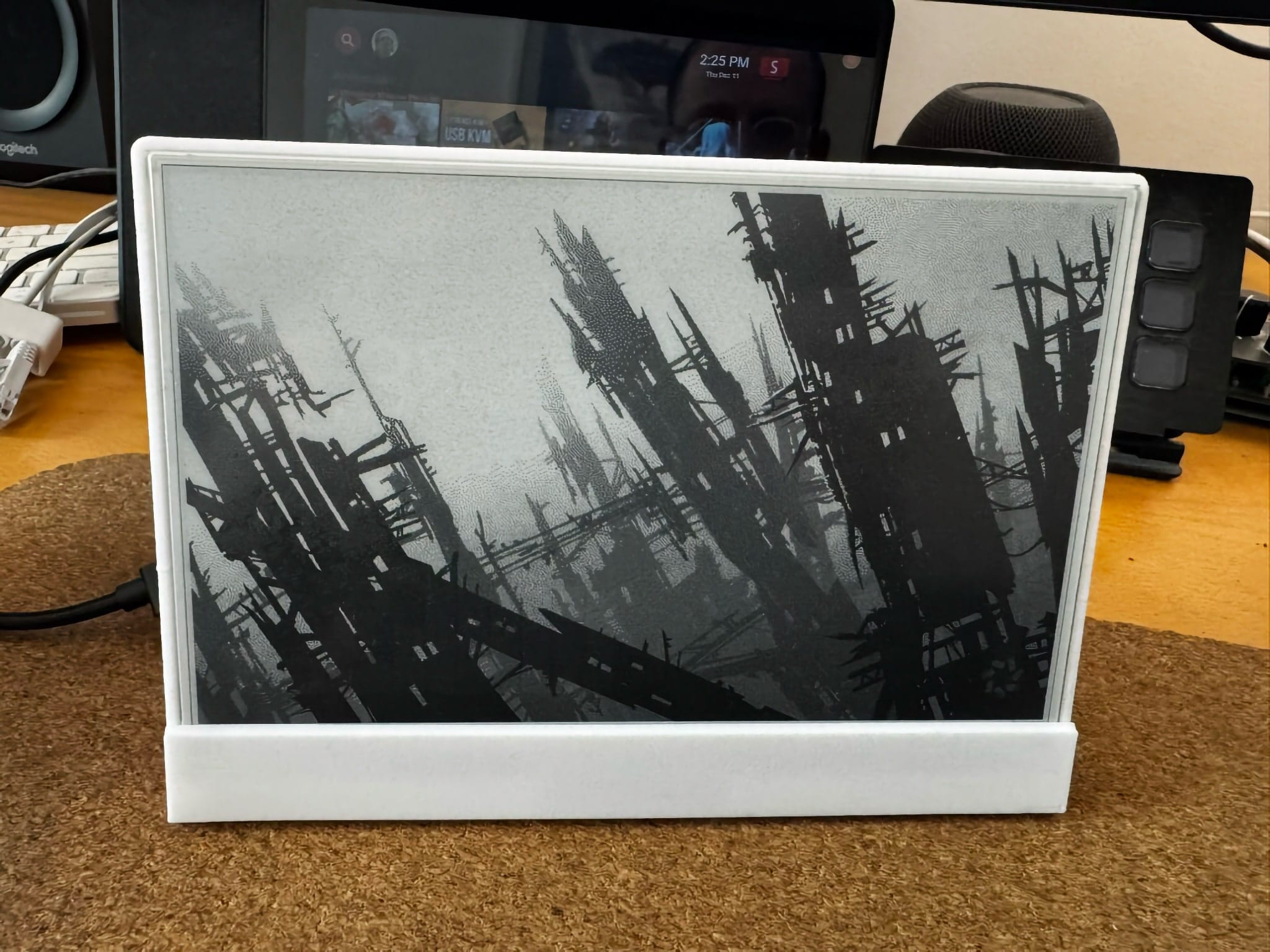
I had the thing on my desktop (right between my screen and keyboard) for a week as I hacked on the server, and the default 15-minute interval for rotation and discreet updates felt so natural that I tuned them out and actually had to actively look at the device (that was literally in front of my keyboard) to check if it was working–at which time I was often pleasantly brought up to date on news stories or the various statistics I displayed.
Which kind of proves the entire point about TRMNL’s product line–it’s great to have an unobtrusive, extremely readable display, and having the occasional nice artwork on it is just icing on the cake:
Next Steps
Although using Python and Pillow is plenty for my current needs and I have zero interest in building this out to the point where it is a fully browser-based endeavor with all the bells and whistles that come with a consumer product, I am intrigued by the possibility of having more complex (and let’s face it, nicer) layouts in some form of HTML.
I’m quite happy with coding new plugins to do that, but I really don’t want to run a browser engine on a server (I have an entire draft ranting about how annoyingly hard and wasteful it is to get high-resolution bitmaps of very detailed charts because all the really nice libraries just use WebGL and SVG these days and assume you’re running Chromium, but that can wait).
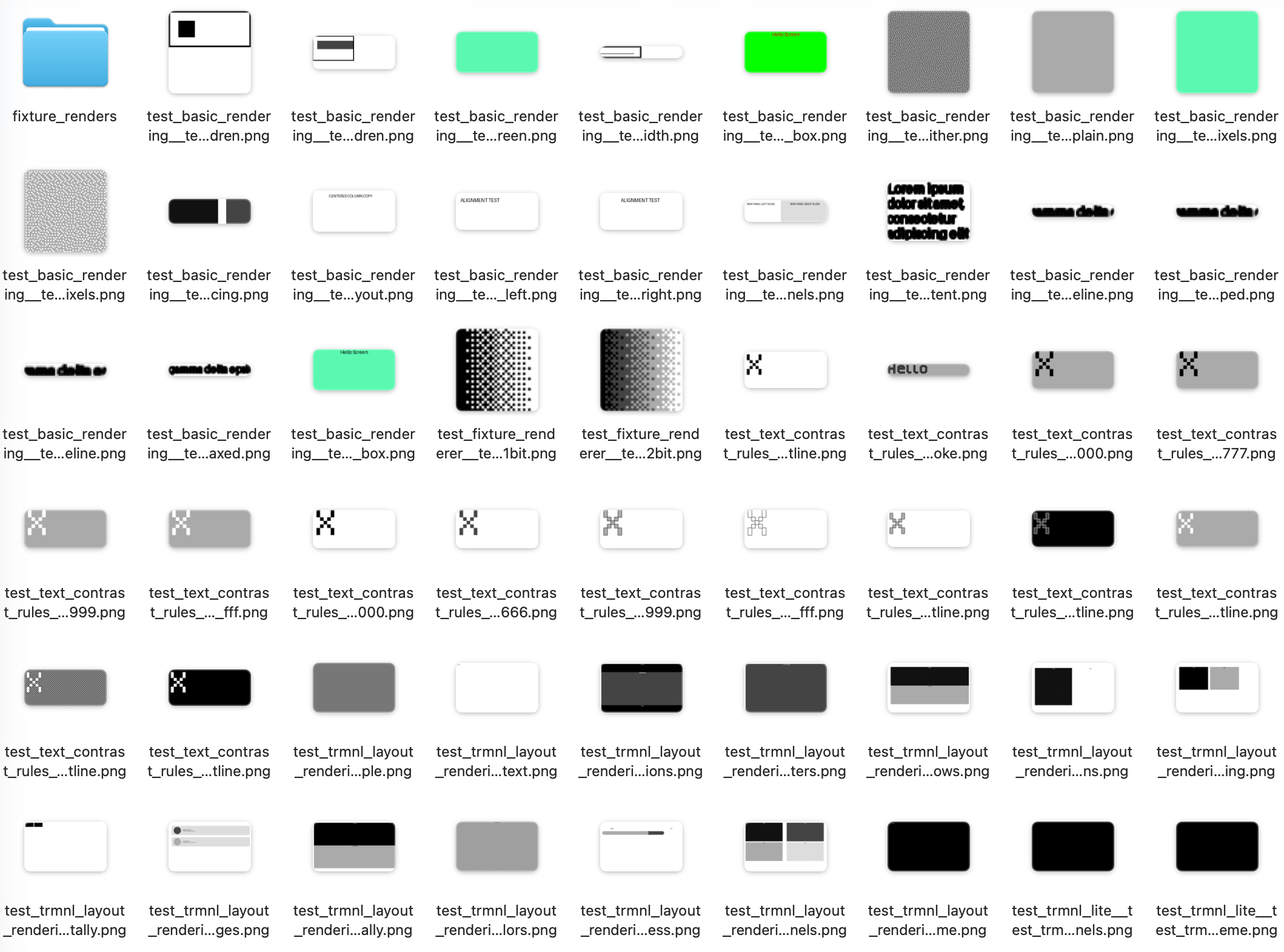
So, naturally, I started hacking away at my own HTML renderer–I forked html2pic, removed the pictex rendering engine (mostly out of stubbornness, since I am actually using Skia with TypeScript) and thanks to GPT-5.2 (which I had early access to) I am already churning out automated layout tests that inspire some confidence:
So I guess I have a holiday project. Well, more like a dozen of them now, but this one is really fun.
And I haven’t even started looking at hacking the firmware to see what I can do about the display driver, although I don’t think I will go that far.
But I will redesign the enclosure I used and put it up on Printables eventually (I started putting in proper screw holes, matching inserts and the like, but there’s only so much time).
And someday, when these things become cheaper, I’ll probably get another, bigger display. Who knows, maybe in a couple of years there will be a full color version I can hang on a wall without having to consider selling a kidney.
I’m very optimistic about that.