 Rui Carmo
I got annoyed enough with Safari Web Apps to write my own replacement.
It took about five minutes to get the core working, and maybe another hour of incremental tweaks spread over a day or so. That ratio–five minutes for the thing, an hour for the polish–tells you something about the state of the problem it solves.
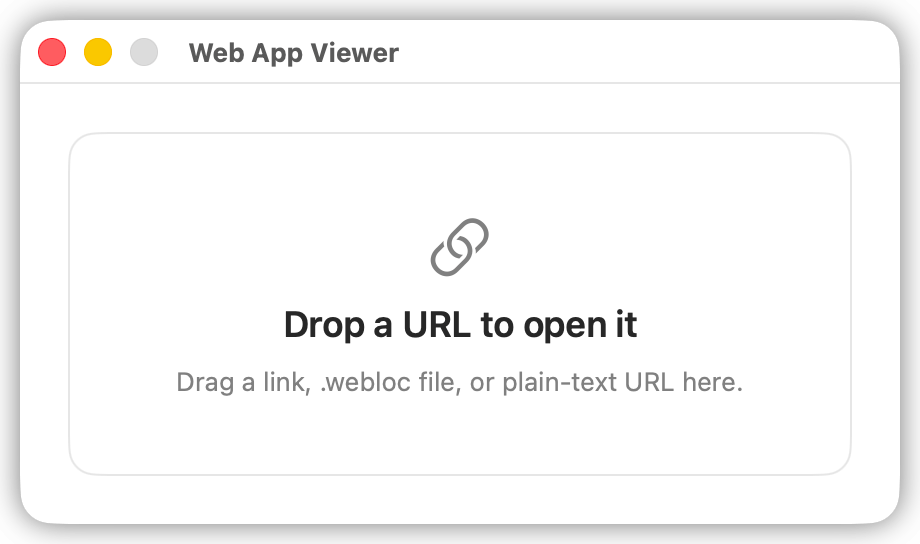
Web App Viewer is a tiny native macOS shell that opens a URL in a WebKit window with no browser chrome. No address bar, no tab strip, no toolbar, no Safari-style fullscreen frame. One web page, one native window, as little visible UI as macOS will reasonably allow once a page is loaded (it hides traffic lights and scrollbars when the mouse is away).
You can drop URLs onto it in the Dock, send them from the Share sheet, a .webloc file, or a custom webappviewer:// URL scheme.
Why
Safari’s “Add to Dock” Web Apps have been around for a while now, and the idea is sound–pin a website as a standalone app, give it its own icon, get it out of the browser tab pile. The execution, though, is maddening, and it has always been broken across the board, but on macOS it is horrendous.
The resulting windows still carry persistent browser chrome I can’t hide, and the whole flow of creating one (find the menu item, wait, hope it picks up the right icon, hope it doesn’t break on the next Safari update) feels like an afterthought rather than a feature anyone at Apple actually uses.
This is one of dozens of Apple papercuts that accumulate into a kind of low-grade daily friction, and I have a growing list of them that I intend to write about at some point. But this one was fixable before dinner, so I fixed it.
How
I fired up Codex with the kind of detailed mini-spec I described in my agentic development piece–what the window should look like, how URLs should be accepted, what the drag behaviour should be–and told it to reuse the window styles and approach from Daisy and the USB Video Viewer (another small Swift project I built to test SBCs via USB capture without adding more monitors to an already cluttered desk).
Disclosure: OpenAI provided me with a 6-month trial of Codex for my Open Source work (which has also helped me fully isolate that from work), but you could probably do this with an brick-brained open-source local model (even if Swift is a mess and under-represented in LLM training sets, which is a problem even with SOTA models).
The core is just WKWebView in a native window with chrome that fades in on hover. The Share Extension, the macOS Service, and the URL scheme were bits I tacked on after, and all the scaffolding (Makefile, signing, etc.) was AI-generated, because there is absolutely no reason to do that by hand in 2026.
There were, however, two things that were a right pain:
- Adding an invisible drag strip needed a nudge from memory, but Codex was useless there. I knew how I’d have done it in Objective-C and just guided it through the Swift equivalent until it worked. Everything else was straightforward.
- Web manifest icon detection in Swift was… oh boy. The fact that Swift still does not have a sane async model (at least like I would expect) and would poke at the page and web manifests but fail to wait and load the bigger icons took me a few tries to get right.
But it was totally worth it. I now have six instances of this running, and I found (and fixed) subtle bugs when trying to create each one of them, so I’m pretty much calling it “done” other than some manual UX tweaks I want to do to the menus and dialogs.
What I Use It For
The original motivation was wrapping Piclaw’s web UI as a frameless native-feeling app, and that works exactly as I wanted. But the nicer surprise has been dropping other self-hosted URLs into it–Grafana dashboards, Proxmox consoles, internal tools–and getting a clean, chromeless window for each. It turns out that removing the browser frame makes everything feel lighter.
And I am casting one of them to an Android device via AirPlay (more on that later when I get that one stable), and the lack of browser chrome makes it… just great. Zero wasted pixels, no distractions, just the content.
But the way it really improves on what Apple didn’t do for me is usability and practicality. Drop in a URL, check it out, then hit Cmd+I and a new copy is installed to my ~/Applications folder, ready to launch from Spotlight, without cluttering the Dock or trying to figure out where they hid it in the sharing pane.
Bliss.
The Uncomfortable Bit
I was a happy Fluid user years ago, and I know there are paid apps that do roughly this. But the uncomfortable truth for Apple indie developers in the age of AI is that there is zero reason to pay for any of them when I can build a tailored version for my own needs this fast.
That’s not a criticism of those apps. It’s a warning sign about what AI-assisted development does to the economics of small, focused utilities–and, in the context of Mac apps, which were always a tiny cottage industry, is going to be worrisome for many.
But the real lesson here, I think, should be about what Apple ought to have just built into macOS instead of shipping the half-baked Web App support that provoked all of this in the first place.
I will have more words on that.