 Rui Carmo
Thanks to a bit of spillover from Easter break, this was a calmer, more satisfying week where I could actually get stuff done and even have a bit of fun.
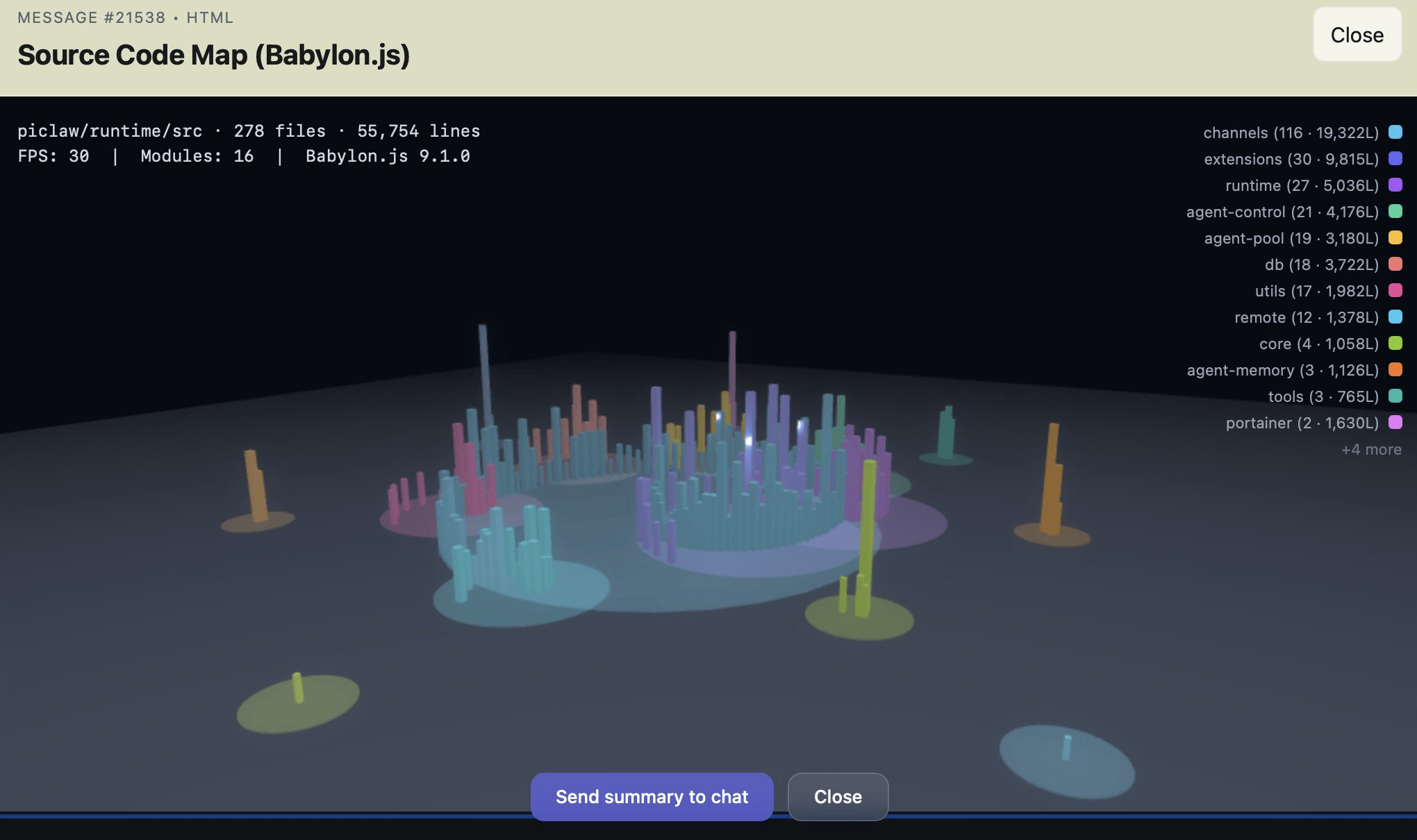
Getting Organized
Now that piclaw is in cruise mode, I’ve started focusing on actually using it.
So I created an instance called Flint, which manages not only my Obsidian vault but also all of my personal pursuits and most of my homelab: I gave it the API tokens for my Proxmox cluster and Portainer, and over the past week it’s been busy:
- It re-tagged most of my notes and drafts (as well as adding reference URLs for ongoing drafts), quizzing me on what to do with specific notes as it went
- It rebuilt and redeployed my GPU
sandbox(which I broke last week): recreated the VM, mounted the Ubuntu ISO, prompted me to run the installer, and installed the latest NVIDIA drivers,nvidia-dockerand a baseline set of utilities. - I then asked it to look at the Portainer stacks in my
giteainstance, my Obsidian notes, and what needed to be set up, and it installed the Portainer agent and brand new versions of the stacks with tweaked network and volume settings, updated my notes, and upgraded the pinned image versions (troubleshooting as it went). - It developed and published an OPDS server and an EPUB read later service so I can fetch interesting web pages and read them later on the XteInk X4, including monitoring the CI pipeline and redeploying the containers
- It audited my Cudy OpenWRT config and set up centralized stats collection in Graphite, which I had been meaning to do for ages (and I intend to have it set up Telegraf on other machines to collect metrics).
So far, Flint is a resounding success (it’s using GPT-5.4, a fairly sensible and stable model), but it doesn’t just do notetaking and operations.
Site Hackery
Flint has also become quite useful to help me tidy up my workflow—I was already using a piclaw instance to convert ancient Textile and raw HTML posts into Markdown in batches, but there are a few things that have been nagging at me for years and that I can finally make significant progress on:
- Adding links to my resource pages
- Drafting link blog entries
- Streamlining static site builds
I’ve had Shortcuts to do the first two for ages, but they both relied on adding bits of text to Reminders that were then post-processed and added to git using either the CLI or WorkingCopy. That worked OK for a while, but my iPad mini’s increasing slowness has made them quite frustrating, especially since I tend to do that kind of quick posting over breakfast and it was taking up too much time.
As it happens, GitHub has a REST API for Git Trees, and what that means in practice is that I can update a JSON changeset with these minor changes, let it accumulate over breakfast, and then apply them in batches–or, rather, have Flint do that, with all the guidance and steps in a SKILL.md file.
So my new breakfast workflow is to just send links to Flint using the iOS sharing pane or a bookmarklet (still experimenting with both), have it create a JSON changeset for links, and occasionally ask it to screenshot a page and create a blank Markdown document for linkblog posts. That is pre-filled with a title, likely tags and the appropriate image reference, and I just pop open the built-in editor tab in piclaw, finish the post and ask it to add the files to the changeset and post them via the API.
So far, it’s been going swimmingly: zero git fetches/commits/pushes, all handled server side, and very little friction–and it works on my iPad mini, albeit still slowly.
A New Hope
Another thing I’ve been working on is porting the Python site builder to Go for both speed and maintainability—the current codebase has some 20-year old hangovers that I wanted to get rid of, and some kind of reset has been long overdue, so I have been slowly poking at this for the past few months.
As it happens, the overall indexing and rendering process was pretty trivial—the real challenge has been to make sure that it looks exactly the same, especially given that my engine has some pretty specific Wiki-linking rules and I’ve accumulated a bunch of rendering helpers and custom plugins over the years.
Plus everything related to HTML rendering has changed: parsing, link resolution, templating, the works. And that’s enough to juggle already, so I don’t want to change the front-end design at all (yet).
I decided to be ambitious and aim for full rendering parity. So what did my little army of AI helpers do?
It converged on doing visual diffs out of random sampled pages: Take a locally rendered version, look at the public page, and generate an image that it can easily rate as “close” or “broken” by just counting the ratio of red pixels:
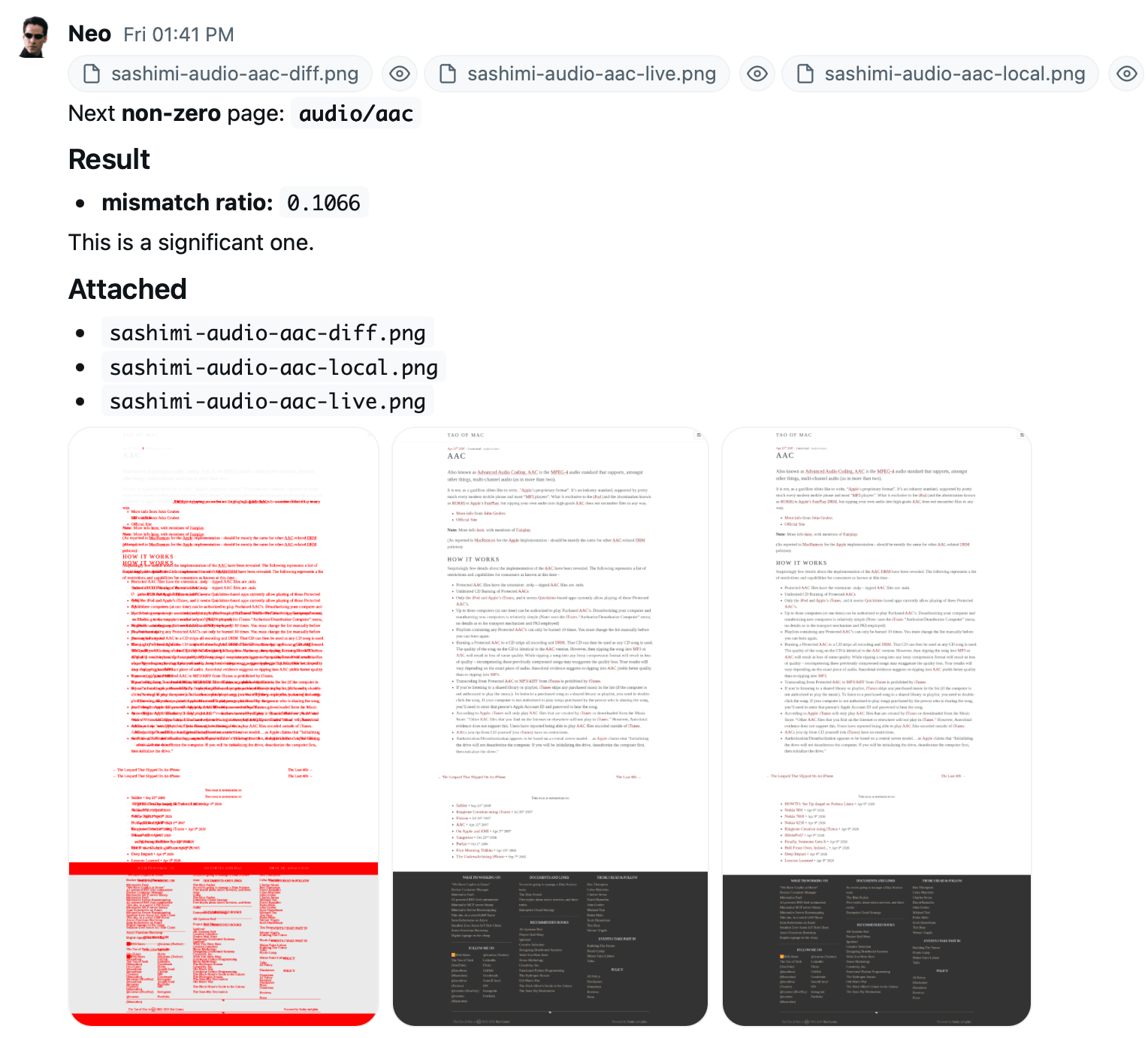
The process is greatly streamlined: sample 100 pages out of the nearly 10,000 we have now, render, batch compare, show me the worst ones, and then discuss and generalize the fixes (which is the only part the LLM is actively involved in). I could probably use autoresearch to automate this, but some of the fixes have to do with legacy rendering logic that no AI could ever figure out.
Still, this has converged very quickly to minor typography and spacing differences, and once I’m happy with the engine I’ll start looking at optimizing the actual blob uploading part–which I aim to standardize via rclone to remove my current dependency on Azure storage accounts, but greatly optimize with deltas.
Remember, AIs Are Still Dumb
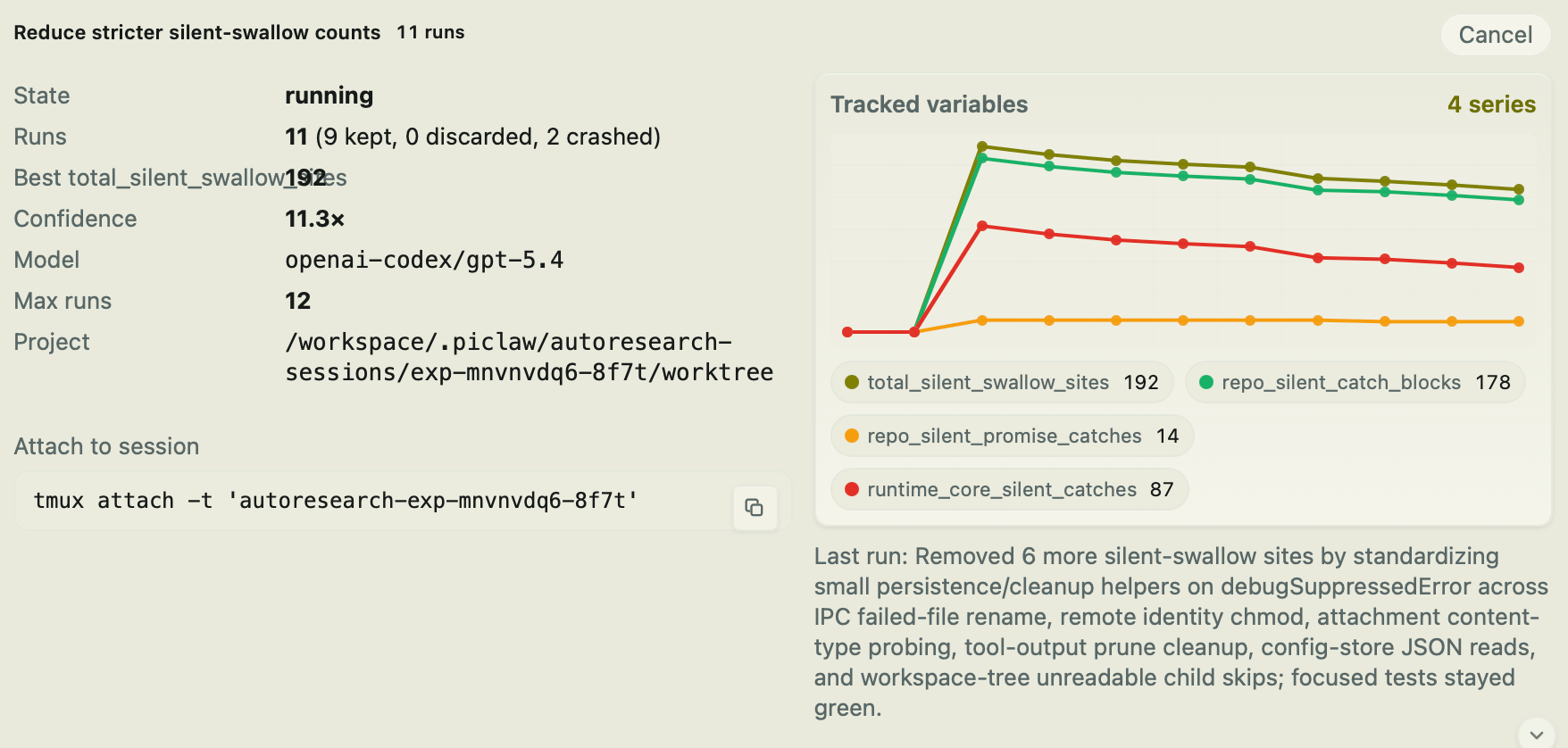
It turns out that if you tell an AI that empty catch blocks are forbidden, the thing will just… go and add comments inside them, instead of doing something useful like a warning log message…
I’m now doing another code audit pass over the entire piclaw codebase, and this kind of mechanical fix is trivial to set up and do reliably with autoresearch:
Now to see if I can get some reading and 3D printing done as well, since the whole point of using AI in the first place was to have more free time… right?